1
Mar
Algorithmic Trading Basics: 5 Key Strategies to Boost Profits
Many retail traders believe algorithmic trading guarantees profits automatically. This misconception leads to costly mistakes and unrealistic expectations when deploying Expert Advisors in MetaTrader platforms. The truth is that algorithmic trading removes emotions and enables disciplined, 24/7 automated forex trading, but success requires proper setup, continuous monitoring, and realistic risk management practices.
Table of Contents
- Introduction To Algorithmic Trading In Forex
- How Algorithmic Trading Works On MT4 And MT5
- Technical Setup And Requirements For Running EAs
- Common Algorithmic Trading Strategies For Retail Traders
- Risk Management And Monitoring Of Algorithmic Systems
- Common Misconceptions And Pitfalls In Algorithmic Trading
- Backtesting And Optimization Techniques In MetaTrader
- Getting Started: Deploying Your First Expert Advisor
- Explore Our Expert Advisor Solutions And Resources
- Frequently Asked Questions About Algorithmic Trading Basics
Key Takeaways
| Point | Details |
|---|---|
| Algorithmic trading automates and disciplines forex trading | Expert Advisors execute trades based on pre-programmed rules, removing emotional bias and enabling consistent strategy application. |
| MT4/MT5 enable EA deployment and backtesting | MetaTrader platforms provide integrated environments for developing, testing, and running automated trading strategies through MQL programming languages. |
| Reliable operation needs constant MT connection, often via VPS | EAs require MetaTrader terminals to remain open and connected 24/7, making Virtual Private Servers essential for uninterrupted algorithmic trading. |
| Common strategies include trend following, mean reversion, arbitrage | Retail traders can implement various algorithmic approaches, each with specific strengths suited to different market conditions and risk profiles. |
| Avoid pitfalls like over-optimization and no-risk assumptions | Successful algorithmic trading demands realistic expectations, proper backtesting without curve fitting, and ongoing performance monitoring. |
Introduction to Algorithmic Trading in Forex
Algorithmic trading uses computer programs to execute forex trades based on predefined rules and strategies. These automated systems, known as Expert Advisors in MetaTrader platforms, analyze market conditions and place trades without human intervention. Algorithmic trading removes emotions from trading, allowing 24/7 operation and exact rule following, creating consistency that manual trading struggles to achieve.
Retail traders face significant challenges with manual trading. Emotional decisions during volatile markets often lead to impulsive trades that deviate from planned strategies. Fear and greed influence exit timing, causing traders to close winning positions too early or hold losing trades too long. Fatigue limits the hours you can actively monitor markets, missing opportunities in different time zones.
Expert Advisors address these limitations through automation:
- Execute trades instantly when predefined conditions are met
- Monitor multiple currency pairs simultaneously without distraction
- Maintain discipline by following programmed rules exactly
- Operate continuously during all trading sessions worldwide
- Eliminate psychological factors that compromise trading decisions
Understanding algorithmic trading basics is essential for retail traders seeking to leverage MetaTrader platforms effectively. MT4 and MT5 provide the infrastructure needed to deploy automated strategies, but successful implementation requires knowledge of how these systems work and what conditions they need to perform optimally.
Pro Tip: Start with simple algorithmic strategies before advancing to complex systems. Test thoroughly in demo accounts to understand how your EA responds to different market conditions without risking real capital.
How Algorithmic Trading Works on MT4 and MT5
Expert Advisors are software programs that automate trading decisions within MetaTrader platforms. These programs connect directly to your broker’s trading server through the MT4 or MT5 terminal. When market conditions match your EA’s programmed criteria, the system automatically opens, modifies, or closes positions according to its logic.
MetaTrader 4 and 5 provide integrated programming environments allowing retail traders to develop, backtest, and run Expert Advisors coded in MQL4/MQL5 to automate trading strategies. The platforms include built-in editors for writing code, strategy testers for historical simulation, and marketplaces for purchasing ready-made EAs.
Key differences between MT4 and MT5 affect algorithmic trading capabilities:
| Feature | MT4 | MT5 |
|---|---|---|
| Programming Language | MQL4 | MQL5 |
| Order Types | 4 types | 6 types including Stop Limit |
| Timeframes | 9 timeframes | 21 timeframes |
| Strategy Tester | Single thread | Multi-thread optimization |
| Economic Calendar | Not integrated | Built-in calendar |
MQL4 and MQL5 are C-based programming languages specifically designed for creating trading algorithms. MQL4 syntax is simpler and widely documented, making it accessible for beginners. MQL5 offers more advanced features, object-oriented programming, and faster execution speeds. Both languages allow you to define entry and exit conditions, implement risk management rules, and create custom indicators.
The backtesting environment in MetaTrader lets you test EAs against years of historical price data. You input parameters, select date ranges, and run simulations to evaluate how your strategy would have performed. Optimization tools systematically test parameter combinations to find settings that maximize performance metrics. The MetaTrader marketplace provides thousands of commercial and free EAs, giving traders access to professional algorithms without programming knowledge.
Explore MT4 vs MT5 features for automated trading to determine which platform best suits your algorithmic trading needs. Understanding MetaTrader EA programming and features helps you evaluate whether to build custom solutions or use ready-made systems.
Pro Tip: Use MT5’s multi-threaded optimization to test parameter combinations faster. This feature significantly reduces the time needed to find robust EA settings compared to MT4’s single-threaded approach.
Technical Setup and Requirements for Running EAs
For an Expert Advisor to run reliably on MetaTrader, the trading terminal must remain open and connected to the internet, making the use of VPS essential for 24/7 operation. When you close your MetaTrader platform or lose internet connection, your EA stops executing trades immediately. This creates critical gaps in automated trading that can miss profitable opportunities or fail to close positions at planned exit points.
A Virtual Private Server solves this fundamental requirement by hosting your MetaTrader terminal in a data center that never shuts down. Using a VPS reduces downtime and execution latency for EAs, which is critical in forex markets where speed impacts profitability. VPS providers locate servers near major broker data centers, minimizing the milliseconds it takes for trade orders to reach the market.
Essential technical requirements for successful EA operation:
- Stable internet connection with minimal latency to broker servers
- Sufficient RAM and processing power to handle EA calculations
- Windows operating system compatible with MetaTrader versions
- Broker account that allows automated trading and EA usage
- Backup power solution or VPS to prevent unexpected shutdowns
Broker compatibility plays a crucial role in algorithmic trading success. Some brokers restrict EA usage or impose limitations on trading frequency. Verify your broker explicitly allows automated trading before deploying EAs. Check whether they support the specific order types and execution methods your strategy requires. Slippage and requotes can significantly impact EA performance, so choose brokers with reliable execution and tight spreads.
Common failure points that disrupt EA operation include accidentally closing the MetaTrader terminal, computer restarts during Windows updates, power outages, and internet service interruptions. Home computers rarely achieve the 99.9% uptime that professional algorithmic trading demands. Setting up proper infrastructure through the benefits of VPS for EA performance and choosing platform and broker compatibility prevents these issues.
Review technical requirements for running Expert Advisors to ensure your setup meets professional standards before risking real capital with automated strategies.
Common Algorithmic Trading Strategies for Retail Traders
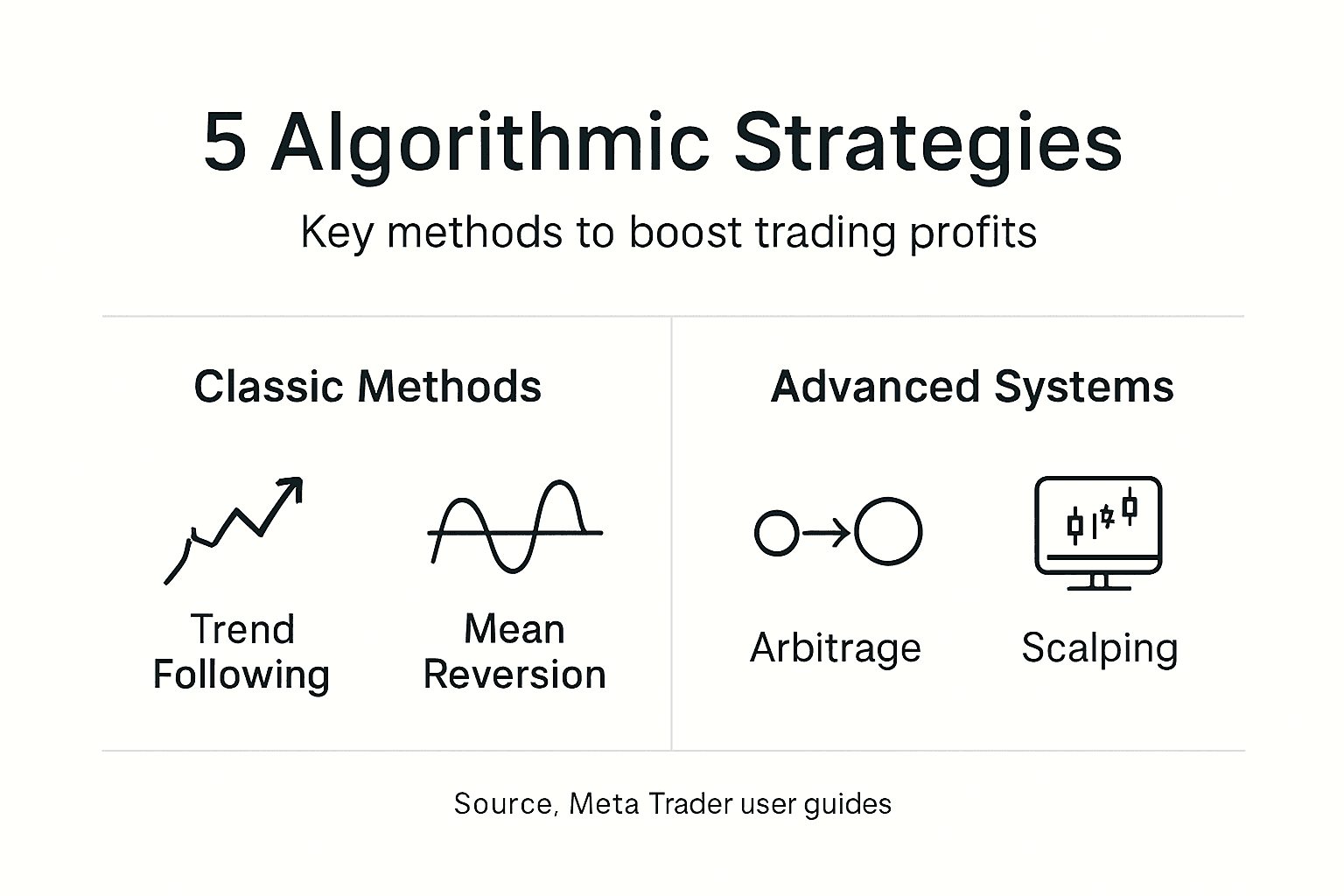
Trend following strategies identify and capitalize on sustained price movements in one direction. Moving average crossovers represent the simplest trend following approach, generating buy signals when a short-term average crosses above a long-term average. These algorithms work well during strong trending markets but produce false signals during choppy, sideways price action. Breakout strategies, another trend following variant, enter trades when price breaks through support or resistance levels with momentum.

Mean reversion strategies assume prices will return to average levels after extreme moves. When currency pairs deviate significantly from their statistical mean, these algorithms open positions expecting price corrections. Bollinger Bands and RSI oversold/overbought conditions commonly trigger mean reversion entries. These strategies perform best in range-bound markets but suffer losses when genuine trends develop and prices continue moving in one direction.
Arbitrage exploits temporary price differences between related instruments or markets. Triangular arbitrage in forex identifies discrepancies between three currency pairs, executing simultaneous trades to capture risk-free profits. Latency arbitrage attempts to profit from delayed price updates between brokers. However, these opportunities exist for milliseconds, requiring sophisticated technology and ultra-low latency connections that challenge retail traders.
Strategy type comparison:
| Strategy | Best Market Condition | Risk Level | Technical Complexity |
|---|---|---|---|
| Trend Following | Strong directional moves | Medium | Low to Medium |
| Mean Reversion | Range-bound sideways | Medium to High | Medium |
| Arbitrage | High liquidity markets | Low | High |
| Grid Trading | Volatile ranging markets | Very High | Low |
Explore popular algorithmic trading strategies to see practical implementations of these approaches. Review trading system examples for MT4 and MT5 and essential automated trading systems to understand how professional EAs combine multiple strategies for robust performance across varying market conditions.
Risk Management and Monitoring of Algorithmic Systems
Successful algorithmic trading requires solid risk management incorporated into the strategy, including stop-loss, take-profit, and position sizing parameters. Your EA must enforce these rules automatically to protect capital during unexpected market moves. Hard-coded stop losses prevent single trades from destroying account equity. Take profit levels ensure the algorithm captures gains before favorable moves reverse.
Position sizing determines how much capital each trade risks based on account balance and volatility. Fixed lot sizes expose accounts to excessive risk as balance grows or shrinks. Percentage-based position sizing adjusts trade volume proportionally, maintaining consistent risk across all positions. Advanced EAs incorporate volatility measures like Average True Range to reduce position sizes during high volatility periods.
Critical risk management elements:
- Maximum daily loss limits that halt trading after threshold breaches
- Maximum open positions to prevent overexposure to correlated trades
- Drawdown monitoring that pauses EA operation during losing streaks
- Spread filters that prevent trading during widened spread conditions
- News event filters that stop trading around high-impact announcements
Ongoing performance review identifies when market conditions change and your algorithm needs adjustment. Track key metrics weekly including win rate, average win versus average loss, maximum drawdown, and profit factor. Compare live results against backtested expectations to detect performance degradation early. When significant deviations occur, investigate whether market dynamics have shifted or technical issues are affecting execution.
Avoid automation complacency by checking your EA daily. Verify trades are executing as programmed, monitor for error messages in the journal log, and confirm your VPS connection remains stable. Algorithmic trading is not truly passive. It requires active oversight to catch problems before they escalate into serious losses.
Learn risk management techniques in algorithmic trading to implement professional risk controls that protect your capital while pursuing consistent returns.
Pro Tip: Set up mobile alerts that notify you when your EA closes positions or when daily loss limits are approached. This keeps you informed without requiring constant monitoring.
Common Misconceptions and Pitfalls in Algorithmic Trading
Expert Advisors do not generate guaranteed profits without human oversight. Many traders deploy EAs expecting passive income and ignore performance until significant losses accumulate. Algorithms follow programmed rules that work under specific market conditions. When conditions change, previously profitable EAs can enter sustained losing periods. Successful algorithmic trading requires you to monitor performance and intervene when strategies underperform.
Over-optimization or curve fitting of algorithms during backtesting is a common pitfall that leads to poor real-world performance. This occurs when traders excessively adjust parameters to maximize backtest results on historical data. The EA becomes tailored to past price patterns that never repeat exactly. Forward testing on unseen data reveals how curve-fitted strategies fail when deployed live.
Critical misconceptions to avoid:
- Believing high backtest returns guarantee future profits
- Assuming EAs will adapt automatically to changing markets
- Expecting algorithmic trading to work without any trading knowledge
- Thinking more complex strategies always outperform simple ones
- Forgetting that MetaTrader must stay open for EAs to function
The requirement that MetaTrader terminals remain open surprises many beginners. Closing your platform stops all EA activity immediately. This seems obvious once stated but causes frequent problems when traders shut down computers at night or during travel. Without VPS hosting, your automated strategy operates only when your personal computer runs MetaTrader with stable internet connection.
Programming skills help customize EAs to specific needs, but ready-made solutions work perfectly for beginners. Thousands of commercial EAs provide professional algorithms without coding knowledge. Focus on understanding strategy logic and risk parameters rather than programming syntax when starting. You can learn MQL later if customization interests you.
Understand common pitfalls in algorithmic trading to avoid expensive mistakes that derail automated trading before you develop profitable systems. Realistic expectations and proper education prevent the disappointment many traders experience with their first EA deployments.
Backtesting and Optimization Techniques in MetaTrader
MetaTrader’s built-in Strategy Tester allows traders to backtest and optimize Expert Advisors on historical data, essential steps before live deployment. This tool simulates how your EA would have performed during past market conditions, providing statistical evidence of strategy viability. Proper backtesting reveals whether your algorithm has edge or if apparent profits result from random luck.
Steps to backtest EAs effectively:
- Select your Expert Advisor from the Navigator panel
- Choose the currency pair and timeframe matching your strategy
- Set the date range covering multiple market cycles and conditions
- Configure model quality to “Every tick” for maximum accuracy
- Review the results focusing on key performance metrics
- Analyze the trade list and equity curve for consistency
Key metrics to evaluate include win ratio, profit factor (gross profit divided by gross loss), maximum drawdown, and average trade duration. A 60% win rate sounds impressive but means nothing if losing trades are twice the size of winners. Profit factor above 1.5 indicates the strategy generates more profit than loss over time. Maximum drawdown shows the worst peak to trough decline, revealing how much capital you need to survive losing streaks.
Sample backtest results analysis:
| Metric | Value | Interpretation |
|---|---|---|
| Total Trades | 347 | Sufficient sample size |
| Win Rate | 58% | Slightly positive |
| Profit Factor | 1.73 | Good profitability |
| Max Drawdown | 18% | Acceptable risk |
| Average Win/Loss | 1.4 | Favorable ratio |
Optimization systematically tests parameter combinations to find settings that maximize performance. Select which inputs to optimize (moving average periods, stop loss distances, etc.) and define ranges to test. MT5’s multi-threaded optimization tests thousands of combinations faster than MT4. However, choosing settings that produced the best backtest results often creates over-optimized EAs that fail in live trading.
Forward testing validates your optimized parameters on data the EA has never seen. After optimizing on historical data from 2020 to 2022, test those exact settings on 2023 data. If performance remains strong, your parameters are likely robust. If results deteriorate significantly, you have curve-fitted the strategy to past data.
Learn MetaTrader backtesting and optimization techniques and explore using MetaTrader Strategy Tester to develop confidence in your algorithmic strategies before risking real money.
Getting Started: Deploying Your First Expert Advisor
Retail traders can access and use ready-made Expert Advisors from marketplaces integrated within MetaTrader, facilitating entry into algo trading without programming skills. The MetaTrader Market contains thousands of free and commercial EAs covering every strategy type. Filter by rating, reviews, and performance statistics to identify reputable algorithms. Many developers offer free trial versions that let you test functionality before purchasing.
Steps to install and launch your first EA:
- Download your chosen EA file (with .ex4 or .ex5 extension)
- Open MetaTrader and click File, then Open Data Folder
- Navigate to MQL4 (or MQL5) folder, then Experts subfolder
- Copy your EA file into the Experts folder
- Restart MetaTrader to load the new Expert Advisor
- Drag the EA from Navigator panel onto your desired chart
- Configure input parameters in the settings window
- Enable “Allow automated trading” button in the toolbar
- Verify a smiley face icon appears in the chart’s upper right
Configuration requires understanding each input parameter’s purpose. Common settings include lot size (trade volume), stop loss distance, take profit target, and trading hours. Start with conservative values: smaller lot sizes, wider stops, and restricted trading hours. These settings limit risk while you observe how your EA behaves in live market conditions.
Gradual live testing begins with micro lot sizes on a cent account. This exposes your EA to real market execution without risking meaningful capital. Monitor for a week, checking that trades match your expectations and no errors appear in the Experts tab. If performance aligns with backtested results, gradually increase position sizes while maintaining proper risk management.
Avoid deploying multiple untested EAs simultaneously. When problems occur, you cannot identify which algorithm caused issues. Test one EA thoroughly before adding others to your trading terminal.
Pro Tip: Keep a trading journal documenting when you start each EA, the initial settings, and weekly performance notes. This record helps you identify which strategies work and why others fail.
Explore beginner-friendly EA acquisition methods and review guides on acquiring and setting up Expert Advisors to accelerate your learning curve and avoid common setup mistakes.
Explore Our Expert Advisor Solutions and Resources
Ready to implement the algorithmic trading fundamentals you have learned? Our platform provides tested Expert Advisors designed specifically for retail traders seeking disciplined, automated forex trading. Discover benefits of Expert Advisors that remove emotional bias and maintain consistent strategy execution across all market sessions.
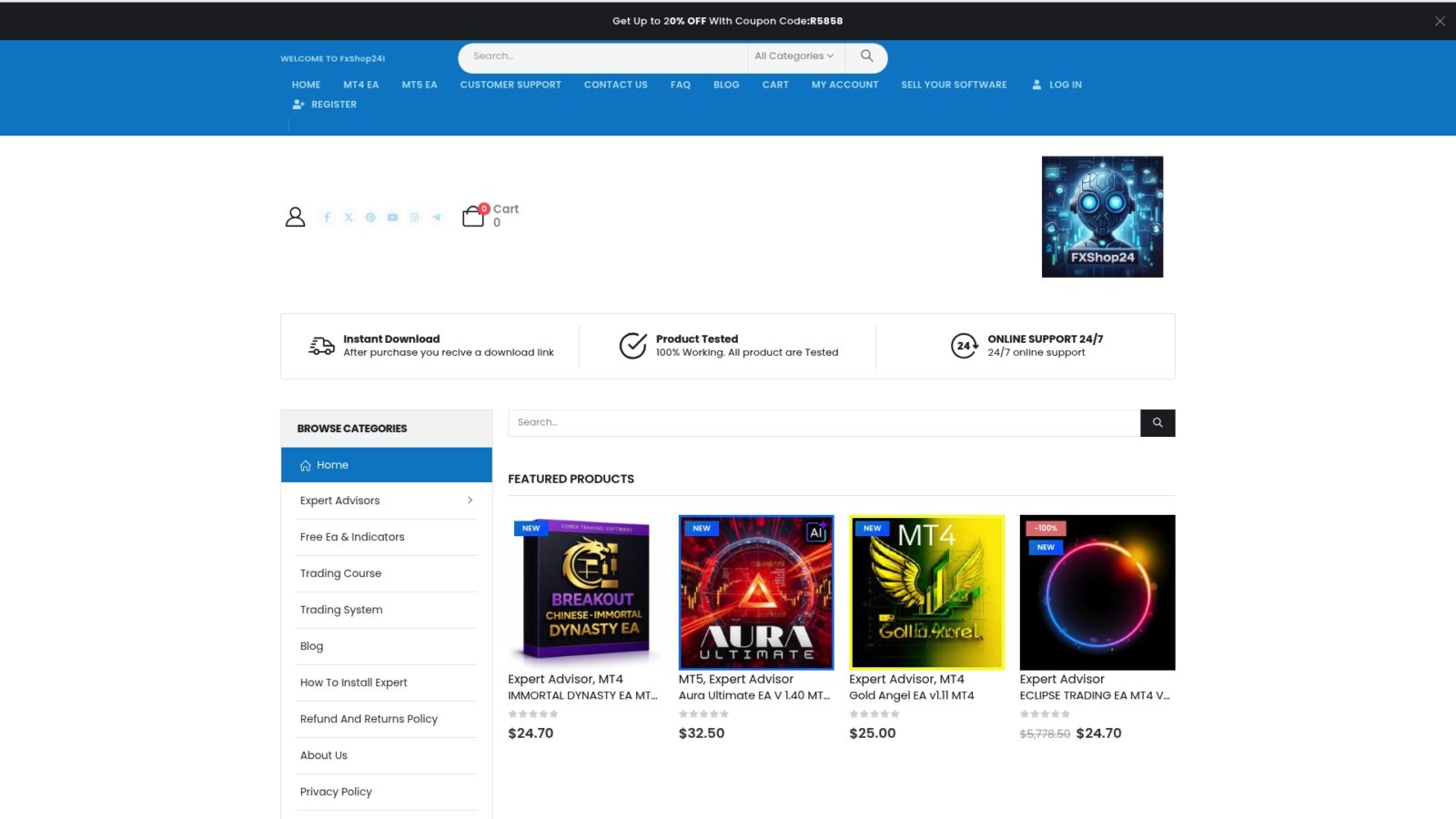
Explore our curated selection of types of automated trading systems covering trend following, mean reversion, and hybrid strategies for both MT4 and MT5 platforms. Each system includes detailed documentation, performance statistics, and support to ensure successful deployment. Follow our comprehensive MetaTrader trading robot setup guide for step-by-step instructions that take you from download to live trading with confidence.
Frequently Asked Questions about Algorithmic Trading Basics
What is the minimum technical skill needed to start with EAs?
You need basic MetaTrader navigation skills and understanding of forex trading fundamentals to start with Expert Advisors. No programming knowledge is required when using ready-made EAs from marketplaces. Focus on learning how to backtest, configure parameters, and monitor performance rather than coding.
How often should I monitor my Expert Advisor performance?
Check your EA daily to verify trades are executing properly and no errors appear in the terminal logs. Perform detailed weekly reviews of key metrics like win rate, drawdown, and profit factor to catch performance degradation early. Set up mobile alerts for critical events like daily loss limits or connection issues.
Can algorithmic trading eliminate all emotional bias?
Algorithmic trading removes emotions from individual trade execution by following programmed rules automatically. However, emotional bias can still affect how you select EAs, set parameters, or intervene during losing periods. Discipline in following your testing process and not manually overriding your EA is essential.
Is it possible to run multiple EAs simultaneously?
You can run multiple Expert Advisors on different charts within one MetaTrader terminal simultaneously. Ensure each EA trades different currency pairs or uses distinct strategies to avoid conflicting signals. Monitor total exposure across all EAs to maintain proper account-wide risk management and prevent overtrading.