


23
Jan
Role of VPS in Forex Trading: Boosting EA Efficiency
Experienced MetaTrader traders know the frustration of missed signals when a local computer crashes or the internet cuts out just as the market moves. Reliable trade execution can mean the difference between capturing profit and suffering costly slippage. Harnessing a Virtual Private Server (VPS) for forex trading gives your automated strategies a stable, secure, and always-online environment, allowing your Expert Advisors to operate with dedicated CPU, RAM, and storage. Understanding VPS solutions helps you keep your trades running efficiently and improves your control over automated performance.
Table of Contents
- What Is A VPS In Forex Trading?
- Types Of VPS Services For FX Traders
- How VPS Enhances Automated EA Performance
- Latency, Security, And Reliability Factors
- Comparing VPS With Local And Cloud Alternatives
- Costs, Common Risks, And Mistakes To Avoid
Key Takeaways
| Point | Details |
|---|---|
| VPS Benefits for Forex Trading | A VPS ensures reliable, uninterrupted trading for EAs with dedicated resources and optimized performance compared to local hosting. |
| Security and Control | VPS isolates your trading environment, protecting sensitive data and providing control over software and settings. |
| Scalability and Flexibility | A VPS adapts to your trading growth, allowing resource upgrades without changing the underlying infrastructure. |
| Cost Considerations | While VPS costs can vary, they are generally affordable and provide significant advantages over local or cloud hosting. |
What Is a VPS in Forex Trading?
A Virtual Private Server (VPS) is essentially a virtual machine that runs on a physical server, allocated specifically to you. Think of it like renting your own apartment in a building where multiple tenants share the structure, but each unit has its own walls, utilities, and independence. A VPS running its own operating system gives you superuser-level access to install software, configure settings, and manage resources exactly as you need them. For forex traders, this means you’re not competing with other users for processing power or bandwidth the way you would with shared hosting. The infrastructure uses virtualization technology to partition a single physical server into isolated environments, so your Expert Advisor runs in its own dedicated space with allocated CPU, RAM, and storage.
What makes a VPS particularly valuable for forex trading is the combination of reliability, control, and cost-effectiveness. Unlike a dedicated server, which costs significantly more because you own an entire machine, a VPS gives you the performance of a dedicated environment at a fraction of the price. You get dedicated portions of computing resources that aren’t shared equally with hundreds of other users. When you’re running an EA on your personal computer, market holidays, power outages, or system crashes can halt your trading. A VPS sits in a data center with redundant power supplies, backup generators, and continuous connectivity. Your EA keeps running 24/5, regardless of whether your home internet drops, your laptop crashes, or you decide to turn off your computer for the night. This permanent uptime is non-negotiable when you’re trading the forex market, where price movements happen constantly and missed opportunities compound into lost profits.
The security aspect deserves mention too. A VPS isolates your trading environment from other clients on the same physical hardware. Your trading data, platform configuration, and account credentials stay contained within your virtual partition. If another user on the same server experiences a security breach or malware infection, it doesn’t automatically compromise your system. You also gain control over what software runs on your VPS, which ports remain open, and who can access what. Many forex traders connect to their VPS using secure credentials and encrypted connections, adding another layer of protection between their trading operations and potential threats. Compare this to shared hosting, where hundreds of accounts on one server mean your security is only as strong as the weakest neighbor.
When you decide to scale your trading operation, a VPS adapts with you. If your EA starts generating consistent profit and you want to run multiple strategies simultaneously, you can upgrade RAM and CPU allocation without migrating to a completely different infrastructure. This scalability makes sense for traders testing different EAs, running multiple currency pair strategies, or planning growth. You’re not locked into a fixed setup; your VPS grows when your trading operation grows.
Pro tip: When evaluating a VPS provider for forex trading, verify they explicitly support MetaTrader connections with low latency metrics and offer data center locations close to major forex liquidity centers, which directly impacts your EA’s execution speed and slippage.
Types of VPS Services for FX Traders
Not all VPS solutions are created equal, and the type you choose directly impacts how smoothly your EA executes trades. The main distinction comes down to how much technical responsibility you want to carry. Managed VPS takes the burden off your shoulders by handling system updates, security patches, server maintenance, and technical support. If something breaks or your server needs optimization, the provider’s team fixes it. This appeals to traders who want to focus purely on strategy and trading decisions rather than system administration. Conversely, unmanaged VPS puts you in the driver’s seat. You install the operating system, configure everything, manage security, and troubleshoot problems yourself. This demands technical knowledge, but it gives you complete control and often costs less. Advanced traders running multiple Expert Advisors with custom configurations frequently choose unmanaged VPS because they want to squeeze every bit of performance from their infrastructure.
Another critical distinction involves the virtualization technology under the hood. Hypervisor-based VPS creates a full operating system virtualization layer, meaning your VPS runs a complete, isolated OS instance separate from other users on the physical server. Think of it as a true virtual computer. This approach offers superior isolation and performance, which is why forex traders typically prefer hypervisor-based VPS for their trading environments. The isolation protects your EA from interference caused by other clients’ activities. Alternatively, container-based VPS shares the host operating system while maintaining isolated environments within it. This is more lightweight and efficient in theory, but the shared kernel can create performance unpredictability when other containers consume excessive resources. For mission-critical forex trading where milliseconds matter, hypervisor-based solutions deliver the stability you need.
Cloud VPS represents another option worth considering. Instead of running on a single physical server, cloud VPS infrastructure spreads your virtual environment across multiple servers and data centers. This architecture provides automatic failover protection: if one server fails, your setup instantly migrates to another without interruption. For forex traders running 24/5 automated strategies, this fault tolerance means your EA never stops trading due to infrastructure problems. Cloud VPS also scales seamlessly. Need more RAM for running additional EAs? The upgrade happens instantly without downtime. Specialized VPS solutions have emerged as well, including Windows VPS for traders requiring Windows-specific software, and GPU VPS for those running computationally intensive backtesting or machine learning strategies. Most MT4 and MT5 traders operate successfully on Linux-based VPS, which costs less and runs lighter, but Windows VPS exists if your workflow demands it.
The choice between managed and unmanaged, hypervisor and container, standard and cloud all hinges on your technical comfort level and operational priorities. A beginner who just downloaded their first EA probably benefits from managed VPS support when things inevitably go wrong. A professional trader running a sophisticated multi-EA operation might prefer unmanaged hypervisor-based VPS for maximum control and minimal monthly costs. When you transition from demo trading with your EA to real account execution, the stability and reliability of your VPS infrastructure becomes your silent partner in profitability.
Pro tip: Start with a managed hypervisor-based VPS from a provider offering 24/7 support and MetaTrader optimization, then migrate to unmanaged cloud VPS once you gain confidence with your EA’s performance requirements and technical infrastructure needs.
How VPS Enhances Automated EA Performance
Your Expert Advisor lives and dies by execution speed. When your EA signals a buy order based on price action, every millisecond counts. A VPS transforms your EA from a part-time trader checking in occasionally to a tireless worker executing trades with mechanical precision. The primary advantage is consistent low-latency connectivity to your broker’s servers. When your EA runs on your laptop at home, internet hiccups, WiFi drops, or system resource competition from other applications introduce unpredictable delays. Your trading signal might arrive at the broker 200 milliseconds late, resulting in a worse fill price. A VPS sits in a professional data center with direct, optimized connections to major brokers and liquidity providers. This low-latency, reliable connectivity means your EA’s orders execute at the exact price it identified, not several pips worse due to transmission delays. For scalping strategies or news-based EAs that profit from microsecond advantages, this difference translates directly into profitability.
Slippage is the silent killer of EA profitability. Slippage occurs when your order executes at a different price than your EA intended. You might order a buy at 1.2500, but the broker fills it at 1.2503 because the market moved in the 150 milliseconds it took your signal to reach the server. Over 100 trades per month, this adds up to substantial losses. A VPS minimizes slippage by dramatically reducing transmission delays and ensuring your EA can respond immediately to market conditions. Your EA doesn’t just sit idle waiting for something to happen either. It monitors price feeds continuously, runs calculations, and evaluates entry and exit conditions without interruption. Unlike running on your personal computer where screensavers activate, windows updates force restarts, or you simply power down for the night, a VPS keeps your EA alert 24/5. Your strategy generates trade signals when the market creates opportunities, not when you happen to be awake and logged in. This 24/7 execution capability means you capture profit opportunities across all market sessions without missing moves during your sleep or when you’re occupied with other work.
The operational reliability of a VPS also shields your EA from common performance pitfalls. Your home internet connection might drop for 30 seconds during a peak trade opportunity. Your computer might crash during a critical market move. Your router might need a restart. Your power supply might fail. These scenarios are catastrophic for automated trading because your EA stops executing at precisely the moment when it should be working hardest. A VPS operates in a professional data center with redundant power supplies, backup generators, multiple internet connections, and 24/7 monitoring. When equipment fails, automatic failover systems kick in. Your EA never experiences the downtime that would cripple a home-based setup. The environment also ensures consistent resource allocation. Your EA always has the CPU cores and RAM it needs without competing against Chrome tabs, Spotify, or Windows updates consuming your system resources. This stability means EAs can operate with optimal trade execution timing and maintain the precision required for profitable algorithmic trading.

Consider the compounding effect across time. If your EA loses 5 pips per trade to slippage and misses 10 percent of signals due to occasional downtime, those losses accumulate into thousands of dollars monthly. A VPS might cost you $20 to $50 per month, yet if it prevents just 15 pips of total slippage and allows your EA to capture two additional signals monthly that would have been missed, that investment pays for itself many times over. The more sophisticated your EA strategy, the greater the performance difference. A simple trend-following robot benefits from VPS stability, but a multi-timeframe strategy analyzing dozens of currency pairs simultaneously thrives on the consistent processing power a VPS provides. Your EA stops being limited by your hardware and internet connection. It becomes what it was designed to be: a disciplined, emotionless trader executing your strategy exactly as coded, exactly when market conditions align with your rules.
Pro tip: Monitor your EA’s trade execution statistics on your VPS using built-in MetaTrader reports to measure slippage reduction and trade timing improvements, then compare these metrics against your historical demo results to quantify the exact profit impact of your VPS investment.
Latency, Security, and Reliability Factors
Latency is the time it takes for your EA’s trade signal to travel from your VPS to your broker’s server and back. Even a few milliseconds matter in forex trading. If your broker is located in London and your VPS is hosted in Singapore, your signal travels thousands of miles, accumulating delays. This is why choosing VPS locations close to broker servers becomes a strategic decision, not a minor detail. Top-tier VPS providers position their data centers near major financial hubs: London for European brokers, New York for American brokers, Tokyo for Asian brokers. Your EA’s signals should reach the broker’s order matching engine in under 50 milliseconds. Many providers advertise latency metrics openly because traders understand this directly impacts profitability. When comparing VPS options, request latency tests to your specific broker before committing. Some providers offer specialized low-latency hosting optimized for forex and futures traders with direct connections to liquidity providers, reducing the number of network hops between your EA and market execution.
Security protects your account credentials, trading data, and capital from theft or unauthorized access. Your VPS stores sensitive information: MetaTrader login credentials, account numbers, and broker authentication details. If a hacker gains access, they could drain your account or manipulate your trading. Responsible VPS providers implement robust security protocols including access controls and intrusion detection to prevent unauthorized access. Look for providers offering the following security features:
- Data encryption for all communications between your local computer and the VPS
- Firewalls configured to block unnecessary network traffic
- Secure Shell (SSH) access requiring cryptographic key authentication instead of simple passwords
- Regular security audits and penetration testing by third-party firms
- Compliance with industry standards like PCI DSS if you’re handling payment data
- Two-factor authentication for account access
Your role involves choosing strong, unique passwords and never sharing VPS credentials. Store your login information in a password manager, never in plain text files. Enable two-factor authentication wherever your VPS provider offers it. These practical steps combine with your provider’s infrastructure to create defense-in-depth security.
Reliability means your VPS stays online and operational when you need it. Uptime guarantees of 99.9 percent sound impressive until you realize that allows 44 minutes of downtime per month. For serious traders, anything less than 99.95 percent uptime is unacceptable. Reliable providers maintain multiple data centers so if one facility experiences problems, your VPS migrates automatically to another without interruption. They use redundant power supplies with automatic failover to backup generators. They maintain multiple internet connections from different providers so losing one connection doesn’t disconnect your EA from the market. Backup mechanisms are equally important. If your VPS’s hard drive fails, your system should restore automatically from backups without data loss. Some providers offer daily automated backups; premium services offer continuous replication where changes are mirrored to backup servers in real-time.
When evaluating VPS providers, request their uptime history for the past year, not just their theoretical guarantees. Ask about their data center redundancy and failover procedures. Find out how they handle maintenance updates. Do they perform updates during low-volume trading sessions? Do they provide advance notice? Do they maintain redundancy so updates never cause downtime? Read reviews from other traders about their actual experience. One provider might promise 99.99 percent uptime while another truly delivers it through careful infrastructure design and management. The difference between a provider that stays online 99.8 percent of the time versus 99.95 percent means 36 additional minutes of downtime monthly. Over a year, that’s 7 hours when your EA sits idle while the market moves without you. For a profitable EA, those hours could represent thousands in missed or unexecuted profits.
Pro tip: Request a VPS provider’s Service Level Agreement (SLA) documentation, latency test results to your broker, and a list of current security certifications, then run a 7-day trial with your EA before committing to a long-term plan to verify actual performance matches advertised specifications.
Comparing VPS With Local and Cloud Alternatives
You have three fundamental choices for running your EA: local hosting on your personal computer, a Virtual Private Server, or cloud infrastructure. Each approach has distinct tradeoffs that matter when your capital is on the line. Local hosting means your EA runs on your desktop, laptop, or home server. This costs almost nothing beyond your internet connection and electricity. You have complete control and zero latency between your EA and your monitor. The problems reveal themselves quickly. Your computer needs to run 24/5 without interruption, but it will crash, update, overheat, or lose internet connectivity. Your home internet connection is less stable than professional data center connections. Power outages aren’t common, but when they happen, your EA stops trading at precisely the moment when volatility creates the biggest opportunities. Hardware failures happen unexpectedly, and most home users don’t maintain proper backups. Local hosting exposes traders to risks like hardware failures, power outages, and internet instability, making it unsuitable for serious automated trading. A single corrupted hard drive wipes out months of EA configuration, trading data, and backtesting results. Most professionals abandoned local hosting after their first catastrophic failure.
Cloud infrastructure represents the opposite extreme. Major providers like AWS, Google Cloud, and Microsoft Azure offer virtually unlimited scalability across global data centers. You can spin up 100 virtual servers in 60 seconds if your EA’s demand suddenly explodes. You can configure automatic load balancing so traffic distributes across multiple servers. You pay only for resources you actually use, so costs scale with your trading volume. The drawbacks center on cost and complexity. Cloud services charge more than dedicated VPS hosting because you’re paying for flexibility you probably won’t use. Enterprise-grade cloud infrastructure involves learning complex management consoles, configuring security groups, and maintaining infrastructure-as-code deployments. A simple EA on cloud infrastructure becomes overengineered. The shared resources of cloud systems mean your EA competes with thousands of other customers’ workloads. During peak hours, shared CPU cores might slow down your EA’s backtesting or optimization processes. Cloud providers also impose usage-based pricing that becomes expensive if your EA generates high trade volumes with many API calls. For a retail trader running a single EA, cloud infrastructure is like hiring a construction crew to hang a picture frame.
VPS hosting strikes the practical middle ground between these extremes. You get professional infrastructure without the complexity or cost of cloud services. VPS provides a middle ground offering superior uptime, security, and consistent performance compared to local hosting while maintaining control and reasonable costs. A VPS costs $20 to $100 monthly depending on specifications, making it affordable for any serious trader. Your resources are dedicated, meaning you don’t compete with other customers for CPU or RAM. Your EA executes with predictable performance, not variable speed based on what other cloud tenants are doing. You maintain root access to configure everything exactly as needed. You can install custom software, adjust network settings, and optimize for your specific EA requirements. VPS providers handle the infrastructure complexity for you: redundant power, internet connectivity, physical security, and automatic backups. You don’t need to understand cloud architecture or manage infrastructure through a complex dashboard. Setup takes minutes, not hours.
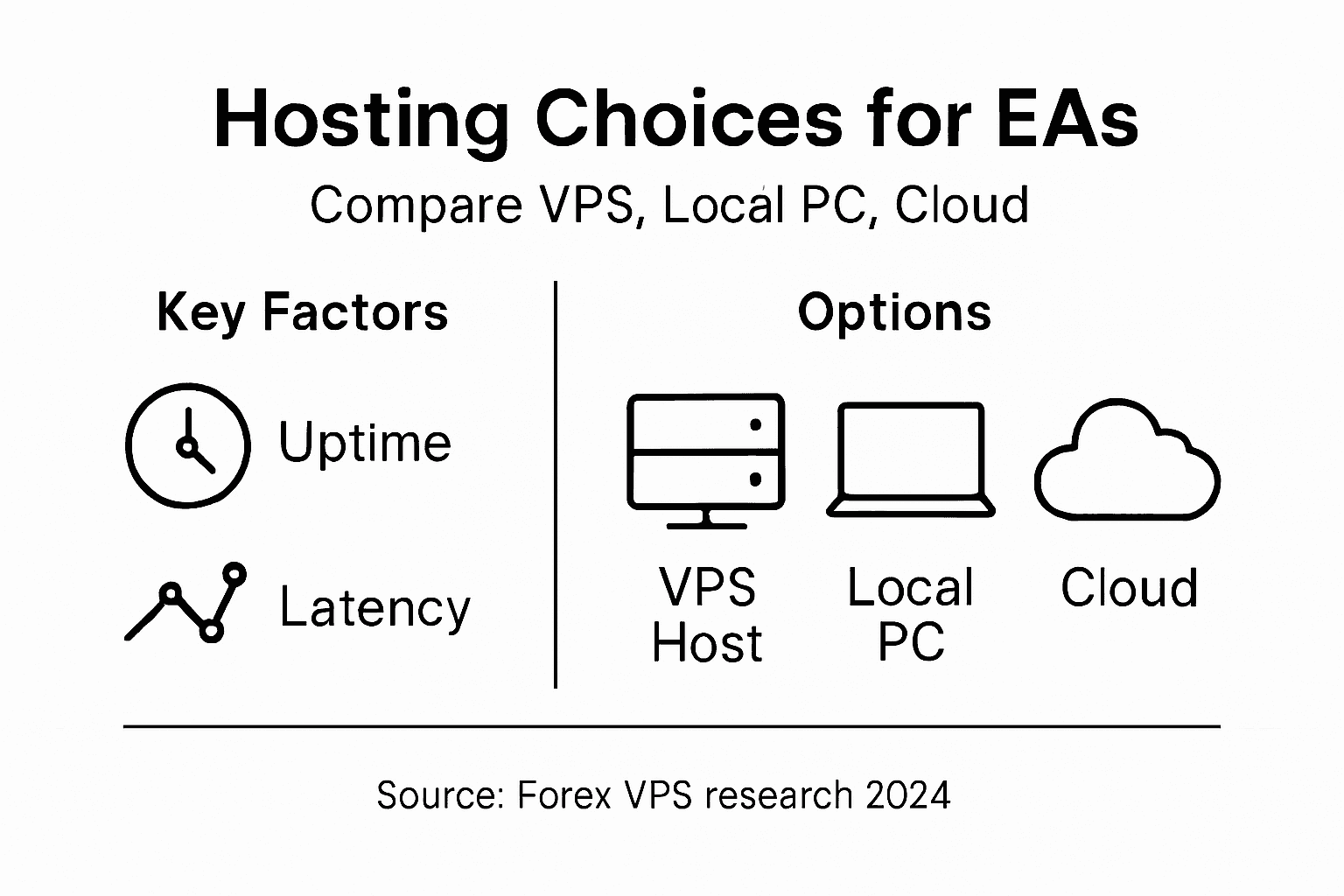
Compare the three approaches across key trading factors. Uptime: Local hosting might achieve 95 percent uptime if you’re disciplined. VPS providers guarantee 99.9 to 99.95 percent uptime. Cloud services claim similar guarantees but your actual experience depends on how you configure them. Cost: Local hosting has minimal monthly costs but loses money through missed trades and eventual hardware replacement. VPS hosting costs $250 to $1,200 yearly for reliable service. Cloud infrastructure can cost $500 monthly for equivalent capabilities, making VPS superior for single-EA traders. Performance consistency: Local hosting varies wildly based on what else your computer is doing. VPS provides consistent execution. Cloud performance varies based on overall platform load unless you pay for premium reserved capacity. Scalability: Local and VPS hosting plateau around 5 simultaneous EAs before resource constraints appear. Cloud infrastructure scales to thousands without modification. Ease of setup: Local hosting is immediate. VPS takes 15 minutes. Cloud infrastructure requires hours of configuration. Most forex traders remain in the VPS sweet spot for years. You might migrate to cloud infrastructure once you manage 20 EAs generating millions in annual trading volume, but that’s an enviable problem most traders never face.
Here’s a concise comparison of VPS, local hosting, and cloud infrastructure for automated forex trading:
| Factor | VPS Hosting | Local Hosting | Cloud Infrastructure |
|---|---|---|---|
| Uptime Guarantee | 99.9% or higher | Often below 98% | 99.95% possible if configured |
| Setup Complexity | Easy, 10–20 minutes | Simple plug-and-play | Requires advanced setup |
| Performance Consistency | Stable resources | Variable by workload | Can fluctuate with demand |
| Cost Range (Monthly) | $20–$100 | Minimal, but risky | $50–$400 for equivalent use |
| Scalability | Upgradable, flexible | Limited by hardware | Extremely scalable |
| Security Controls | Moderate to advanced | Minimal, home-managed | Advanced but complex |
| Best Use Case | Active EA trading | Beginners/part-time | High-volume, large scale |
Pro tip: Start with managed VPS hosting for your first EA, then migrate to unmanaged VPS once comfortable, reserving cloud infrastructure only if you scale to 10+ simultaneous EAs requiring advanced load balancing or geographic redundancy across multiple trading strategies.
Costs, Common Risks, and Mistakes to Avoid
VPS pricing appears straightforward until you start receiving your bills. Base costs typically range from $15 to $50 monthly for entry-level plans suitable for a single EA running on modest specifications. Mid-tier plans running 2 to 5 EAs simultaneously cost $50 to $150 monthly. Premium plans with high-performance hardware and enterprise support reach $200 to $400 monthly. These baseline costs exclude hidden expenses that catch unprepared traders off guard. Setup fees, sometimes $50 to $100, appear on your first invoice. Backup storage beyond included limits costs extra, often $10 to $30 monthly depending on how much historical data you accumulate. Additional IP addresses cost $2 to $5 each, relevant if you run multiple accounts. Bandwidth overage charges can surprise you if your EA generates unusual API traffic. Migration fees apply if you switch providers, typically $50 to $200. When evaluating VPS costs, request a detailed breakdown showing exactly what your monthly bill will include with no surprises.
Securityrisk represents the most dangerous cost you cannot calculate. A compromised VPS means hackers access your MetaTrader account, broker credentials, and trading capital. Worst case scenarios involve complete account theft, unauthorized trades that generate massive losses, or stolen credentials used to commit fraud using your identity. Cybersecurity risks such as hacking and data breaches can cause significant losses to forex traders who neglect security fundamentals. Weak passwords represent the weakest link. Many traders use simple passwords like “Trading123” or “ForexPassword” that hackers crack in seconds using dictionary attacks. Your VPS password should contain 16+ characters mixing uppercase, lowercase, numbers, and symbols. Store it in a password manager, never in email or text documents. Enable SSH key authentication instead of password-based login whenever your provider offers it. Never share your VPS credentials, not even with technical support staff who should instead request specific information. Disable remote desktop protocol (RDP) access if you don’t actively use it. Update your operating system and installed software regularly because unpatched security vulnerabilities represent open doors for hackers. Many traders procrastinate updates, then regret it when exploit code circulates publicly.
Operational mistakes cascade into costly downtime and lost profits. Neglecting backups tops the list of regrettable errors. Your EA configuration, MetaTrader installation files, indicator libraries, and trading history represent irreplaceable assets. If your VPS’s hard drive fails without backups, all that work vanishes. Responsible VPS usage means enabling automated daily backups or, better yet, continuous backup replication. Poor password management exposes you to account lockout if you forget credentials or accidental exposure if you write passwords in plaintext. Ignoring update notifications leaves your system vulnerable to known security exploits. Selecting oversized plans wastes money on CPU cores and RAM your EA never uses. Test your EA’s actual resource consumption before committing to annual plans. Failing to monitor costs leads to surprise bills when you forget about running multiple instances or accumulate unexpected charges. Inadequate vendor assessment means choosing cheap providers with 99.5 percent uptime guarantees instead of 99.95 percent, costing you hours of downtime monthly. Best practices include detailed vendor assessments and clearly defining SLAs for uptime and support to ensure your VPS matches your trading requirements.
Common provider mistakes deserve attention when selecting a VPS host. Some providers oversell their infrastructure, cramming too many customers onto physical servers to maximize profits at the expense of everyone’s performance. Red flags include suspiciously cheap pricing undercutting legitimate providers by 70 percent, unresponsive support channels offering only email communication with 24-hour response times, vague uptime guarantees without published Service Level Agreements, and reviews filled with complaints about sudden service interruptions. Respectable providers publish transparent pricing, offer 24/7 live chat support, guarantee specific uptime percentages backed by refunds for failures, and maintain positive trader reviews across multiple forums. Avoid providers that prohibit automated trading or charge special fees for EA usage. Test a provider’s actual service before committing to annual plans. Most offer monthly billing for initial months, allowing you to evaluate their performance with your real EA before locking in longer contracts. When switching providers, maintain both services for 48 hours during migration to prevent any trading gaps. Document your VPS configuration, IP address settings, and firewall rules beforehand so you can recreate your environment quickly if problems arise.
Here are major risks and mistakes to avoid with Forex VPS usage:
| Risk or Mistake | Impact on Trading | How to Prevent |
|---|---|---|
| Weak password security | Account compromise | Use strong, unique passwords |
| Neglecting backups | Loss of EA/configurations | Enable automated backups |
| Ignoring software updates | Exposure to exploits | Regularly update OS/software |
| Oversized VPS plans | Wasted monthly costs | Assess real resource needs |
| Choosing cheap providers | Unexpected downtime/performance | Research uptime & reviews |
| Poor cost monitoring | Surprise charges | Review invoices monthly |
Pro tip: Request uptime statistics from your potential VPS provider for the past 12 months, verify their backup restoration procedures with a test, and ask for references from three current forex traders using their service before signing any contract beyond month-to-month terms.
Enhance Your Forex Trading with Optimized VPS and Powerful EAs
If you are struggling with inconsistent Expert Advisor performance or missed trading opportunities due to slow execution and downtime, it is time to take control with reliable VPS solutions tailored for forex traders. The article highlights how low latency, uninterrupted operation, and secure environments are essential for boosting EA efficiency and maximizing profit potential. Don’t let weak internet connections, hardware failures, or delays hold back your automated trading strategies.
Unlock the full power of your automated trading by pairing your VPS setup with proven expert advisors and trading tools at FxShop24. Benefit from tested, prop firm-ready EAs with lifetime updates, instant downloads, and multiple license options designed for MetaTrader 4 and MetaTrader 5. Act now to reduce slippage and increase trade accuracy with software created to excel in professional VPS environments. Explore our selection today and propel your forex trading to new heights with FxShop24.
Frequently Asked Questions
What is the main benefit of using a VPS for forex trading?
A VPS provides dedicated resources and stable connectivity, allowing Expert Advisors (EAs) to execute trades more efficiently without interruptions caused by local computer issues.
How does a VPS reduce latency in forex trading?
A VPS minimizes latency by placing your trading environment closer to your broker’s servers, resulting in faster execution of trade signals and reducing the risk of slippage.
What are the differences between managed and unmanaged VPS for forex trading?
Managed VPS offers support for system maintenance and troubleshooting, making it ideal for traders who prefer to focus solely on their strategies. Unmanaged VPS provides full control to experienced traders but requires technical knowledge to manage.
Why is uptime critical for a VPS used in forex trading?
High uptime is essential because any downtime can result in missed trading opportunities. A reliable VPS provider typically guarantees 99.9% uptime, ensuring your EA continuously operates without interruptions.
Recommended
Author