

6
Jan
What Is MT4? Optimizing Automated Forex Trading
MetaTrader 4 (MT4) is a trading platform that supports manual trading and automation through Expert Advisors (EAs). This guide explains what an MT4 robot does, how it differs from an indicator, and what to check before choosing software for your broker account.
Table of Contents
- MetaTrader 4 Defined And Common Myths
- Core MT4 Features And Capabilities Explained
- Expert Advisors, Scripts, And Automation In MT4
- MT4 Platform Requirements And Supported Assets
- Risks, Broker Compatibility, And How MT4 Compares
Key Takeaways
| Point | Details |
|---|---|
| MetaTrader 4 Overview | MT4 is a versatile trading platform supporting various financial instruments, not just forex, providing automation through Expert Advisors. |
| Key Features | The platform offers advanced trading capabilities, including technical analysis tools, multiple order types, and a user-friendly interface for efficient trade management. |
| Broker Compatibility | Traders must carefully select a reputable broker, as the trading experience is heavily influenced by the broker’s execution quality and regulatory compliance. |
| Comparison with MT5 | While MT4 is favored for its simplicity and widespread support among traders, MT5 offers enhanced features that may cater to more advanced trading strategies. |
MetaTrader 4 Defined And Common Myths
MetaTrader 4 (MT4) is a powerful electronic trading platform that has revolutionized online foreign exchange trading since its launch in 2005. Developed by MetaQuotes Software, this globally popular trading platform connects traders to financial markets, supporting trading across forex, commodities, stocks, and contracts for difference (CFDs).Contrary to popular misconception, MT4 is not a broker but a sophisticated software platform licensed to multiple brokers worldwide. The platform enables traders to execute both manual and automated trading strategies through its robust architecture. Its core strength lies in supporting Expert Advisors (EAs), custom trading scripts written in the MQL4 programming language that can automate complex trading decisions and strategies.Several persistent myths surround MT4. Many traders incorrectly believe that the platform is limited to forex trading, when in reality, it supports multiple financial instruments. MetaQuotes provides a Mac download through the official MT4 website. Check the installation requirements and compatibility of your particular EA before purchase. The platform’s flexibility and widespread adoption make it the most popular trading platform globally, trusted by millions of traders for its reliability, security, and advanced features.Pro tip: Always verify your broker’s specific MT4 implementation and supported features before assuming universal compatibility across different trading environments.Core MT4 Features And Capabilities Explained
MetaTrader 4 offers a comprehensive suite of advanced trading features designed to empower traders with powerful analytical and execution capabilities. The platform provides an extensive toolkit for technical analysis that includes 30 built-in technical indicators and 24 graphical objects spanning nine different timeframes, enabling traders to develop sophisticated market insights and trading strategies.The platform’s architecture supports multiple trade execution modes and order types, giving traders unprecedented flexibility. Traders can utilize market orders, pending orders, stop orders, and trailing stops, all accessible through an intuitive interface that includes critical windows like Market Watch, Chart Window, and Terminal Window. These features allow for precise trade management, including setting stop loss and take profit parameters with remarkable ease.One of MT4’s most powerful capabilities is its support for Expert Advisors (EAs), which enable automated trading strategies. These custom scripts written in MQL4 programming language can execute complex trading decisions without constant human intervention. The platform also ensures robust security through encrypted data exchange and RSA digital signatures, making it a trusted solution for traders seeking both advanced functionality and protection of their trading activities.Pro tip: Always test your Expert Advisor strategies using MT4’s built-in strategy tester to validate performance before deploying them in live trading environments.Expert Advisors, Scripts, And Automation In MT4
MetaTrader 4’s automation capabilities represent a revolutionary approach to trading, enabling traders to transform complex strategies into programmatic instructions. MT4 supports advanced automation through Expert Advisors (EAs) and custom scripting, which allow traders to execute sophisticated trading strategies without constant manual intervention.Expert Advisors are sophisticated programs written in the MQL4 programming language that can analyze market conditions, generate trading signals, and automatically execute trades based on predefined rules. These automated scripts eliminate emotional decision-making by following strict mathematical and technical criteria, enabling traders to implement consistent strategies across multiple currency pairs and timeframes. The platform’s robust scripting environment allows for creating custom indicators, developing complex trading algorithms, and backtesting strategies using historical market data. The automation ecosystem in MT4 extends beyond basic trade execution. Traders can develop scripts to perform routine tasks, customize technical indicators, and create complex trading systems that adapt to changing market conditions. The community-driven nature of MT4 means traders can also access a vast library of pre-existing scripts and indicators, significantly reducing the technical barrier to implementing advanced trading strategies.Pro tip: Always thoroughly test and optimize your Expert Advisor through MT4’s strategy tester, using multiple market scenarios to ensure robust performance before live deployment.
MT4 Platform Requirements And Supported Assets
The MetaTrader 4 platform offers versatile compatibility across multiple devices and operating systems, providing traders with flexible access to global financial markets. Primarily designed for Windows, MT4 extends its reach through mobile applications for Android and iOS devices, ensuring traders can monitor and execute trades from virtually anywhere. A Mac download is available through the official MetaTrader 4 website; check its installation requirements and your EA compatibility.MT4 supports an extensive range of financial instruments, making it a comprehensive trading platform for diverse investment strategies. Asset classes available through the platform typically include forex currency pairs, commodities, indices, stocks, and contracts for difference (CFDs). The specific instruments accessible depend on the individual broker’s offerings, allowing traders to create sophisticated, multi-asset trading approaches. The platform’s lightweight design ensures minimal system resource consumption, making it compatible with most modern computer systems.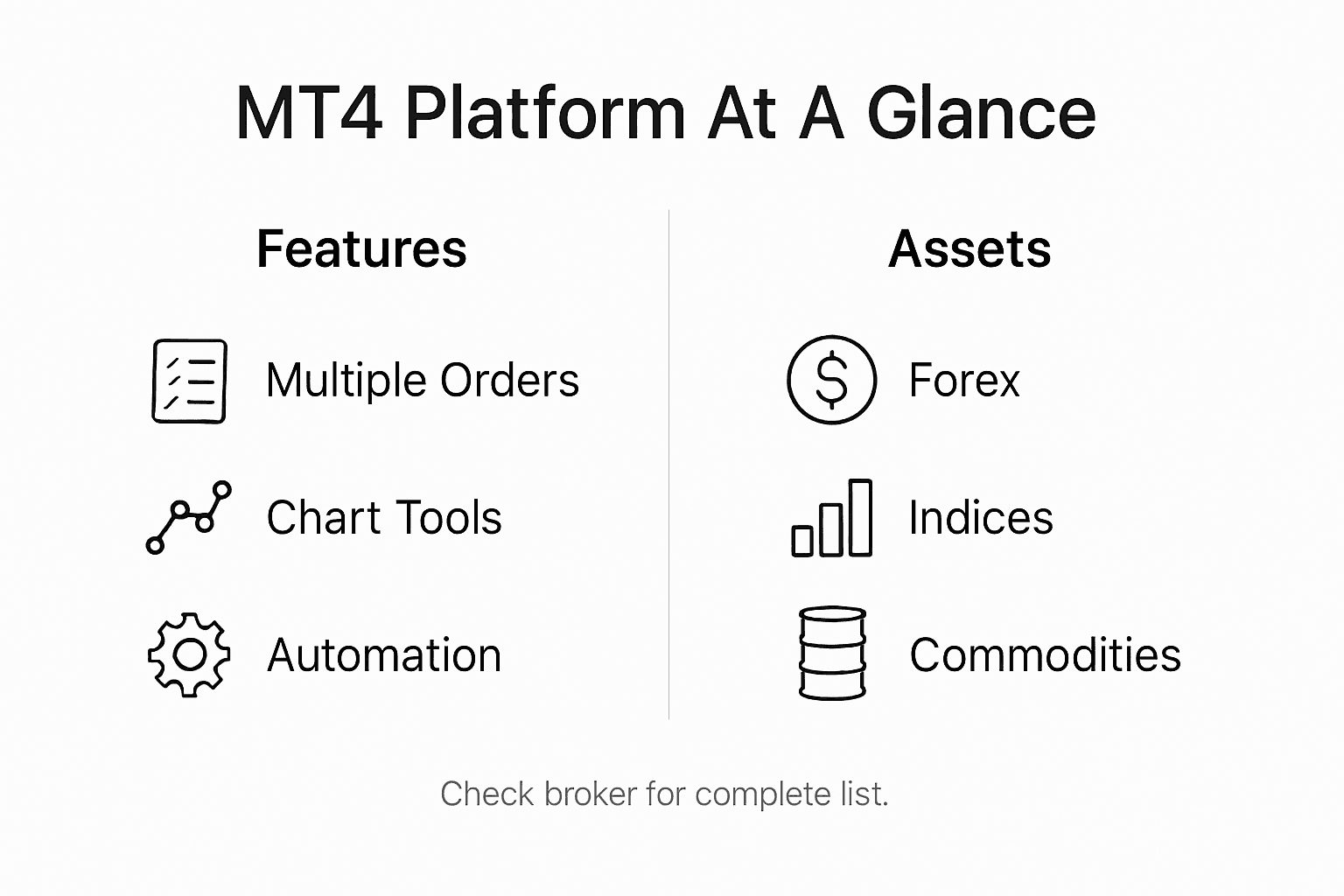 To effectively use MT4, traders require a stable internet connection, a compatible device (Windows PC, Android, or iOS mobile device), and a broker account that supports the platform. The technical requirements are relatively modest, with most contemporary computers and smartphones meeting the necessary specifications. MT4’s universal design allows seamless integration across different devices, providing consistent trading experiences whether accessed through desktop or mobile interfaces.This table summarizes device compatibility and requirements for MT4:
| Device/OS | Official Support | Notes |
|---|---|---|
| Windows PC | Yes | Full native application |
| Mac OS | Download available from MetaQuotes | Check installation requirements and EA compatibility |
| Android | Yes | Official mobile app available |
| iOS | Yes | Official mobile app for iPhone/iPad |
| Web Browser | Partial | Available via some brokers’ web platforms |
Risks, Broker Compatibility, And How MT4 Compares
MT4 compatibility with brokers represents a complex landscape of potential opportunities and risks, where trader success heavily depends on selecting a reputable and regulated financial partner. While MetaTrader 4 provides a robust trading platform, the ultimate trading experience is significantly influenced by the broker’s execution quality, regulatory compliance, and technological infrastructure.The platform’s widespread adoption does not automatically guarantee seamless trading conditions. Potential risks include liquidity challenges, potential price manipulation, execution delays, and varying spread structures across different brokers. Traders must conduct thorough due diligence, examining a broker’s regulatory status, track record, and independent reviews before committing funds. MT4’s security features, including encrypted data transmission, provide a foundational layer of protection, but cannot entirely eliminate broker-specific risks.Compared to its successor MetaTrader 5, MT4 maintains significant advantages in certain areas while presenting limitations in others. The platform remains preferred for its intuitive interface, extensive community support, and proven reliability in forex trading. However, MT5 offers more advanced features like additional asset classes, improved order types, and more sophisticated backend technology. For most retail traders, MT4’s simplicity and established ecosystem often outweigh the marginal technological improvements of MT5, making it the continued platform of choice for many global traders.Here’s how MetaTrader 4 compares to MetaTrader 5 for retail traders:| Criteria | MetaTrader 4 (MT4) | MetaTrader 5 (MT5) |
|---|---|---|
| Preferred Audience | Forex and beginners | Multi-asset and advanced |
| Feature Set | Streamlined and proven | Expanded and enhanced |
| Order Types | Standard selections | More advanced options |
| Community Support | Very large | Growing but smaller |
| Platform Speed | Fast and efficient | Faster with 64-bit tech |
| Custom Programming | MQL4 language | MQL5 language |
Choose MT4 software by compatibility, not promises
FxShop24 sells trading software. This guide is not an independent performance ranking, and buying an EA does not guarantee profits. Account limits, included files, activation, support and updates depend on the individual product.
- Browse MT4 Expert Advisors and indicators and check the platform, version, symbols and timeframe stated on each product page.
- Use our MT4 and MT5 Forex robot comparison to compare the published package details and evidence available.
- Follow the Expert Advisor installation guide before setting up a demo test.
An indicator analyzes price data; an EA can also place trades when its settings permit it. A script normally performs a one-off task. See the official MQL4 program types. Backtests and demo results are not guarantees of future live results.
Apply the checklist to MT4 product listings
When comparing an EA, start with the instrument and timeframe, then verify the exact release, package contents and activation terms. These links lead to products sold by FXShop24, not an independent ranking or a recommendation based on verified returns.
- For a gold-focused listing, review DS Gold Robot MT4 and check which risk controls and presets are actually supplied.
- For an XAUUSD listing specifying M5, review Challenger X EA MT4 and confirm broker and terminal-build compatibility.
- For a listing describing EURUSD on H1, review Opal EA MT4; a recovery system should not be treated as capital protection.
- For a build-labelled package, review Immortal Dynasty EA MT4 and distinguish the terminal build from the EA version.
Ask for missing package details before ordering. Backtest and demo-test the actual files and settings supplied; a product description alone is not evidence of trading performance.