





Eclipse Trading EA MT4 No DLL
Original price was: $269.00.$20.00Current price is: $20.00.
- Timeframe compatibility: M1 or M5
- Minimum deposit requirement: $200
- Supports trading on XAUUSD and 28 Forex pairs
- Instant download available
- Includes Eclipse Trading EA V4.0 (.ex4) file
Original Product

Setfiles*
- Description
- Reviews (0)
Description
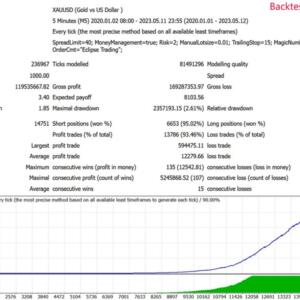
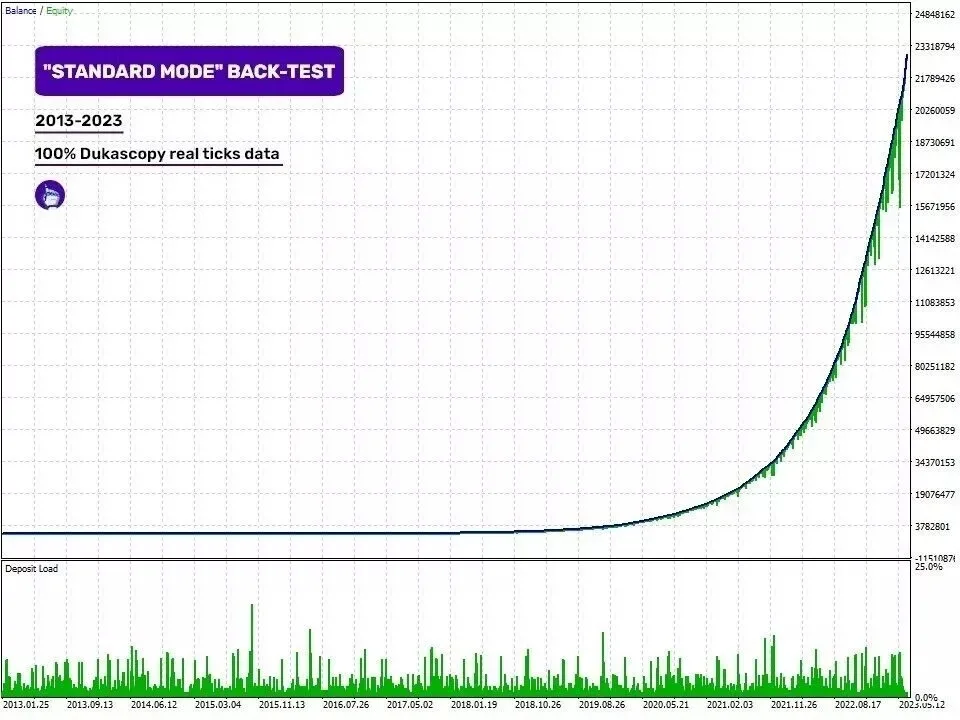
This is a third-party product supplied as an unlocked version for testing and evaluation. It may differ from the original licensed version in functionality, compatibility, updates and support. Images and performance reports come from the original developer and are not independently verified. No EA guarantees profits — test on a demo account for at least 72 hours. Read the full pre-purchase guide
Eclipse Trading EA MT4 No DLL
Eclipse Trading EA MT4 No DLL is a MetaTrader 4 trading tool supplied as an unlocked version for testing and evaluation — instant download and recommended setfiles included. Test it on demo, verify it on your broker, then decide with real data.
What It Is
A trading tool for MetaTrader 4 focused on Gold (XAUUSD), supplied as unlocked files for testing and evaluation, ready to run in minutes.
Who It's For
Traders who want hands-free execution and are willing to validate the tool on a demo account before scaling into live risk — the professional way to adopt any EA.
What's Included
The product file, recommended setfiles, a step-by-step installation guide and access to live support for setup questions.
Guarantee
Instant download right after purchase and a refund policy for defective or nonfunctional products — test everything on demo first.
About Eclipse Trading EA MT4 No DLL
Eclipse Trading EA MT4 No DLL is an automated trading tool for MetaTrader 4, focused primarily on gold (XAUUSD) and compatible with 28 forex pairs. It runs without DLL files, which means installation is simpler and there are fewer permission warnings to deal with in the terminal. This page is an editorial review of what the product actually is, what it includes, and what you should realistically expect — not a sales pitch.
In this review
- What is Eclipse Trading EA?
- How the strategy works
- Live performance tracking
- Key features
- What is included
- Recommended setup
- Who it is for (and who it is not for)
- Installation in 4 steps
- FAQ
- Risk warning
What is Eclipse Trading EA?
Eclipse Trading EA is an expert advisor distributed for the MetaTrader 4 platform in a no-DLL format. The package sold here is the V4.0 build, supplied as an .ex4 file with recommended setfiles. The product is positioned as a multi-pair scalping-style tool: it supports M1 and M5 charts and can trade XAUUSD as well as 28 major and minor forex pairs. The vendor page suggests a minimum deposit of $200, which tells you it is aimed at small live accounts and, more sensibly, at demo testing before any real capital is involved.
What distinguishes it from many marketplace EAs is practical rather than magical: no DLL dependency, instant download after purchase, included setfiles, and a low entry price. It is a third-party product supplied for testing and evaluation, and that framing matters — treat it as a tool to validate, not a finished money machine.
How the strategy works
The EA is designed for short timeframes (M1 or M5), which places it in the fast-scalping / intraday category: it looks for frequent, small opportunities rather than holding positions for days. On gold this typically means trading volatility bursts during liquid sessions, with tight trade management.
An important honesty note: the developer does not publish a detailed, independently documented description of the exact entry logic, and we cannot confirm from the available material whether the EA uses or avoids martingale/grid-style position averaging. Because that distinction changes the risk profile dramatically, you should check the trade history behaviour yourself on a demo account — if you see lots of averaged positions against the trend, treat the account sizing accordingly. The product does include built-in risk management settings and supports backtesting on historical data, so there is no excuse for skipping validation.
Live performance tracking
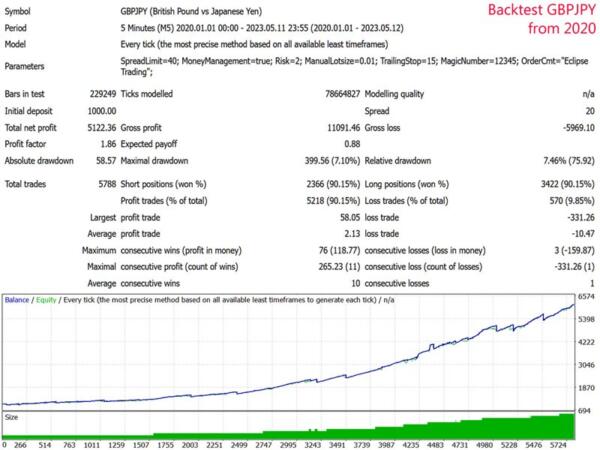
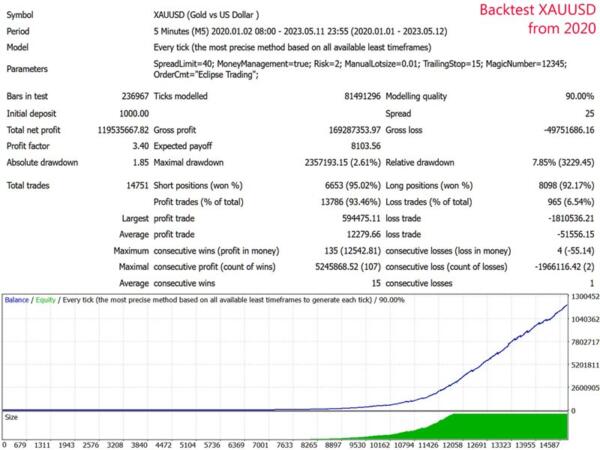
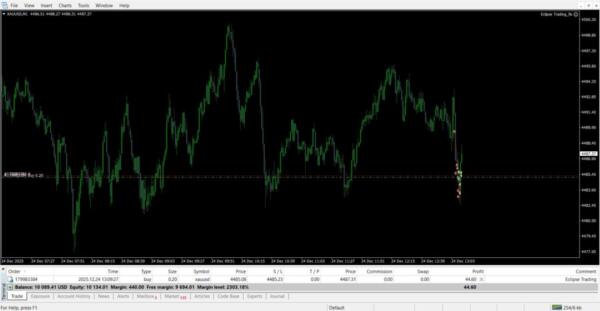
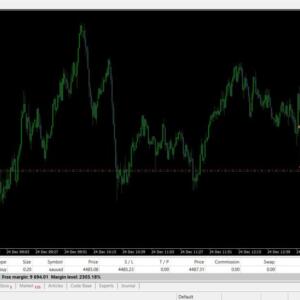
There is currently no independently verified live track record (Myfxbook, FX Blue or similar) published on this page for Eclipse Trading EA. Any performance images or reports provided by the original developer are not independently verified, and past performance is not indicative of future results in any case. The professional way to evaluate this EA is straightforward: run it on a demo account for at least 72 hours — ideally several weeks across different market conditions — and judge it on your own broker’s spreads and execution, not on marketing screenshots.
Key features
- No DLL required — clean installation with no DLL import permissions to enable.
- Gold and multi-pair support — XAUUSD plus 28 forex pairs from a single package.
- M1 / M5 operation — built for fast timeframes and frequent setups.
- Low minimum deposit — the vendor indicates $200 as the minimum, suitable for small accounts and cent-account testing.
- Risk management controls — configurable exposure settings to cap risk per trade.
- Backtesting capability — test against historical data in the MT4 strategy tester before going live.
- 24/5 operation — runs unattended through the trading week, seizing opportunities while you are away from the screen.
- Instant download — files are delivered immediately after purchase, with setfiles included.
What is included
- Eclipse Trading EA V4.0 (.ex4) file for MetaTrader 4
- Recommended setfiles for the supported pairs and timeframes
- Step-by-step installation guide
- Live support access for setup questions
- Instant download delivery and a 7-day refund policy for defective or nonfunctional products
Recommended setup
| Pair | XAUUSD (primary focus) + 28 forex pairs supported |
| Timeframe | M1 or M5 |
| Minimum deposit | $200 (vendor indication; test on demo first) |
| Account type | Any MT4 account — start with demo, then a small live or cent account |
| Broker | Low-spread broker with fast execution; for gold, check XAUUSD spread and commission carefully |
| VPS | Recommended for uninterrupted 24/5 operation |
Who it is for (and who it is not for)
This EA is for traders who want hands-free, short-timeframe execution on gold and forex, and who are disciplined enough to validate a tool on demo before risking real money. At its price point it is also a reasonable way to learn how automated systems behave on fast charts.
It is not for anyone looking for guaranteed profits, a set-and-forget income, or a prop-firm challenge shortcut — there is no verified track record to support those expectations, and M1/M5 trading is inherently sensitive to spreads, slippage and broker conditions. If you cannot monitor a VPS or read a trade log, start with education first.
Installation in 4 steps
- Download the package after purchase and extract the .ex4 file and setfiles.
- Open MT4, go to File → Open Data Folder, and copy the .ex4 into MQL4/Experts. Restart the terminal.
- Drag the EA onto an M1 or M5 chart (e.g. XAUUSD), enable automated trading, and load the recommended setfile.
- Run it on a demo account for at least 72 hours before considering live use. The full walkthrough with screenshots is in our installation guide.
FAQ
Which platform does Eclipse Trading EA run on? MetaTrader 4 only, and it requires no DLL files or DLL import permissions.
How many accounts can I use it on? This is a third-party unlocked version supplied for testing and evaluation; licensing terms may differ from the original developer’s version, so treat it as an evaluation copy and verify it thoroughly on demo.
Is it suitable for prop firm challenges? There is no verified track record, and fast scalping on M1/M5 can conflict with prop firm drawdown rules. Test it against your firm’s specific limits on demo before attempting any challenge.
How is it delivered? Instant download right after purchase — you receive the .ex4 file, setfiles and the installation guide immediately.
Are setfiles included? Yes, recommended setfiles are part of the package, and a bonus setfile pack is available on the FXShop24 Telegram channel.
Is there a refund policy? Yes, a 7-day refund policy applies for defective or nonfunctional products — another reason to test everything on demo immediately after download.
Risk warning
Trading forex and gold with leverage carries a high level of risk and can result in the loss of your entire deposit. Expert advisors do not guarantee profits, and no result from backtests or marketing material — verified or not — predicts future performance. Automated systems on M1/M5 timeframes are especially sensitive to spreads, slippage, news events and broker execution quality. Always test any EA on a demo account for an extended period, never trade money you cannot afford to lose, and consider whether leveraged trading is appropriate for your financial situation. Nothing on this page constitutes financial advice.
More Best Gold EAs (XAUUSD) worth checking
- VIGRO PRO V5 EA MT4 Build 1455+
- Larry FX EA For MT4
- PythonX M1 Scalper XAUUSD MT5 V5.0
- Tfxs Titan Ultimate V10.12 MT5
Browse the full category: Best Gold EAs (XAUUSD)
Technical Specifications
| Platform | MetaTrader 4 |
| Categories | Best Gold EAs (XAUUSD), Expert Advisor, Expert Advisors MT4 |
| Primary Market | Gold (XAUUSD) |
| Setfiles | Included |
| Version | Latest release |
| Delivery | Instant download after checkout |
| Refund Policy | 7 days |
Frequently Asked Questions
Is this an original licensed product?
No — we supply unlocked versions for testing and evaluation, which may differ from the original licensed versions in functionality, compatibility, updates and support. For official licensing and developer support, purchase from the original developer. Read our pre-purchase guide for full details.
How and when do I receive it?
Immediately after checkout: the download link becomes available and you also receive a confirmation email. If anything is missing, contact live support and we will sort it out quickly.
Are setfiles and instructions included?
Yes — the product ships with recommended setfiles and a step-by-step installation guide, so you can go from download to a running terminal in minutes.
What if it does not work with my broker?
Reach out to support before going live: we will help you verify symbol names, account type and settings. And if the product still does not fit your setup, you are covered by our 7-day refund policy.
Ready to automate your trading?
Instant download · Setfiles included · Live support · 7-day refund policy




Reviews
There are no reviews yet.