



Trend Scanner Indicator v1.1
$9.00
Original Product

Setfiles*
- Description
- Reviews (0)
Description
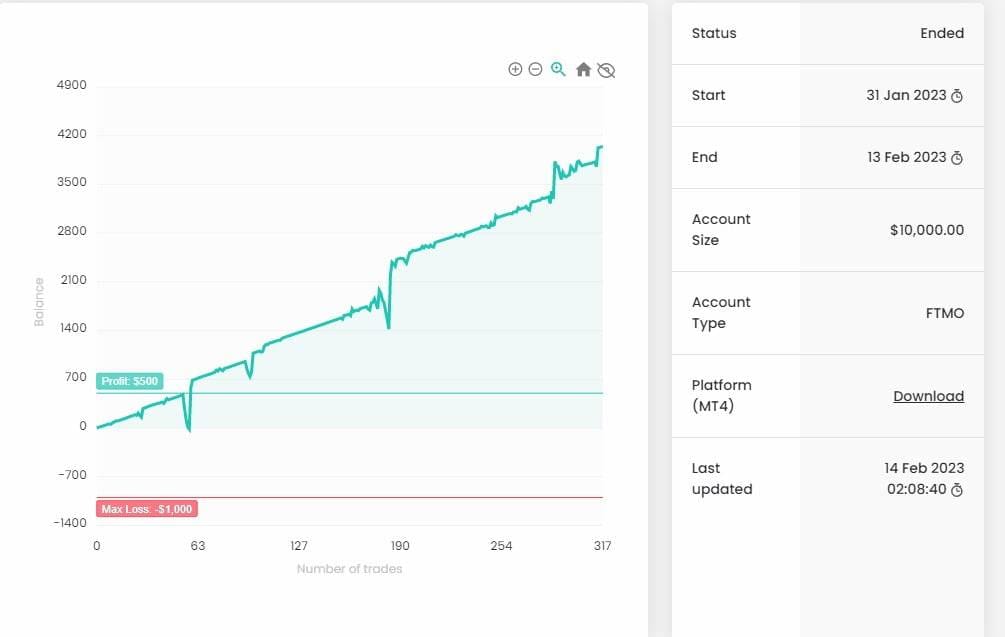
This is a third-party product supplied as an unlocked version for testing and evaluation. It may differ from the original licensed version in functionality, compatibility, updates and support. Images and performance reports come from the original developer and are not independently verified. No EA guarantees profits — test on a demo account for at least 72 hours. Read the full pre-purchase guide
Trend Scanner Indicator v1.1 — V1.1
Trend Scanner Indicator v1.1 is a MetaTrader 4 trading tool supplied as an unlocked version for testing and evaluation — instant download and recommended setfiles included. Test it on demo, verify it on your broker, then decide with real data.
What It Is
A trend following trading tool for MetaTrader 4, supplied as unlocked files for testing and evaluation, ready to run in minutes.
Who It's For
Patient traders who accept quiet weeks between trends and prefer fewer, larger moves over constant action.
What's Included
The product file, recommended setfiles, a step-by-step installation guide and access to live support for setup questions.
Guarantee
Instant download right after purchase and a refund policy for defective or nonfunctional products — test everything on demo first.
About Trend Scanner Indicator v1.1
Content: indicator: Trend Scanner.ex4 (Unlocked for MT4 Build 1420+), pdf: How to install MT4 files.pdf
Trend Scanner is a trend indicator that helps to determine the current and forecast market direction using an advanced algorithm. Thanks to flexible alert settings, the indicator will promptly warn you about a trend reversal.
The indicator is intuitive and easy to use, and will be an excellent filter in your trending trading strategies. The lines of this indicator are also an excellent dynamic level for stop loss, and is used as one of the types of trailing stop in Trading Panel.
To fine-tune the alert, click on the triangle on the left in the information panel, after clicking, two lines of alert settings will appear:
Alerts On / Off – this line sets the chart timeframe, which the indicator will track and inform when the trend changes.
General alerts On / Off – this line sets timeframes on which the trend direction should coincide. For example, if you check the boxes on M30, H1, H4, the indicator will notify you of a trend change, only if the trend direction has turned in one direction on M30, H1, H4 timeframes.
Input parameters:
Max Bars – the maximum number of bars to display the trend line. If the indicator loads the terminal heavily, decrease this value.
Period – period of the Trend Scanner indicator.
Multiplier – Trend Scanner indicator coefficient.
Show alert on chart – enable / disable displaying a notification on the chart.
Play sound on alert – enable / disable sound playback when the trend changes.
Push notification – enable / disable sending push notifications about trend change.
Alerts an email – enable / disable sending a trend change notification to email.
Alerts on opened bar – enable / disable trend change notifications only on a closed bar.
Sound file – the name of the sound file for sound notification.
Show panel – show information panel. If the indicator loads the terminal heavily, disable the panel.
Size panel – panel size.
Color panel – panel color.
Color panel border – panel border color.
Color text – panel text color.
Color up – color of the text up in the panel.
Color down – color of the text up in the panel.
More Trend Following EAs worth checking
- Omega Trend EA v1.1
- Black Scorpion EA v10.79
- Ultimate Forex Expert Advisor V1.81 for MT4 – Download
- AITrendBooster EA
Browse the full category: Trend Following EAs
Technical Specifications
| Platform | MetaTrader 4 |
| Categories | Trend Following EAs, Expert Advisors MT4, Indicators |
| Strategy | Trend Following |
| Setfiles | Included |
| Version | V1.1 |
| Delivery | Instant download after checkout |
| Refund Policy | 7 days |
Frequently Asked Questions
Is this an original licensed product?
No — we supply unlocked versions for testing and evaluation, which may differ from the original licensed versions in functionality, compatibility, updates and support. For official licensing and developer support, purchase from the original developer. Read our pre-purchase guide for full details.
How and when do I receive it?
Immediately after checkout: the download link becomes available and you also receive a confirmation email. If anything is missing, contact live support and we will sort it out quickly.
Are setfiles and instructions included?
Yes — the product ships with recommended setfiles and a step-by-step installation guide, so you can go from download to a running terminal in minutes.
What if it does not work with my broker?
Reach out to support before going live: we will help you verify symbol names, account type and settings. And if the product still does not fit your setup, you are covered by our 7-day refund policy.
Ready to automate your trading?
Instant download · Setfiles included · Live support · 7-day refund policy



Reviews
There are no reviews yet.