


SWING SCALPER MT5 NO DLL
$58.50
- Hybrid Expert Advisor for MetaTrader 5, combining scalping and swing trading.
- Operates without DLL files for easier installation and better broker compatibility.
- Utilizes a smart algorithm for identifying high-probability price movements.
- Features trend detection filters, momentum confirmation, and volatility-based entry logic.
- Dynamic Stop Loss and Take Profit management to adapt to market conditions.
- Fully automated trading with intelligent risk management.
- Adjustable lot and risk settings for customization.
- Compatible with most brokers and optimized for ECN/low spread accounts.
Original Product
Setfiles*
- Description
- Discussion (0)
Description
This is a third-party product supplied as an unlocked version for testing and evaluation. It may differ from the original licensed version in functionality, compatibility, updates and support. Images and performance reports come from the original developer and are not independently verified. No EA guarantees profits — test on a demo account for at least 72 hours. Read the full pre-purchase guide
SWING SCALPER MT5 NO DLL
SWING SCALPER MT5 NO DLL is a MetaTrader 5 trading tool supplied as an unlocked version for testing and evaluation — instant download and recommended setfiles included. Test it on demo, verify it on your broker, then decide with real data.
What It Is
A scalping trading tool for MetaTrader 5, supplied as unlocked files for testing and evaluation, ready to run in minutes.
Who It's For
Traders with a low-spread broker and a VPS who want frequent, short-lived trades and who verify execution quality on demo before scaling up.
What's Included
The product file, recommended setfiles, a step-by-step installation guide and access to live support for setup questions.
Guarantee
Instant download right after purchase and a refund policy for defective or nonfunctional products — test everything on demo first.
About SWING SCALPER MT5 NO DLL
SWING SCALPER MT5 NO DLL is an automated trading robot (Expert Advisor) for the MetaTrader 5 platform, available on FXShop24 at $58.50. As the name makes clear, this is the no-DLL edition: it installs like any standard MT5 expert file and does not require Windows DLL imports, which simplifies setup and avoids the security prompts that DLL-based tools can trigger on some brokers and VPS environments. In this review we look at what the tool actually does, what you receive after purchase, and — just as importantly — what no scalping robot can realistically promise.
In this review
- What is SWING SCALPER MT5 NO DLL?
- How the strategy works
- Live performance tracking
- Key features
- What is included
- Recommended setup
- Who it is for (and who it is not for)
- Installation in 4 steps
- FAQ
- Risk warning
What is SWING SCALPER MT5 NO DLL?
SWING SCALPER MT5 NO DLL is a scalping Expert Advisor listed in our MT5 and Scalping EAs categories. Its job is to automate trade entries and exits on short-term price movements, so the trader does not have to sit in front of the screen during active sessions. The distinguishing point of this build is the no-DLL architecture: many EAs distributed online rely on external dynamic link libraries for license checks or extra logic, which forces you to enable DLL imports in MetaTrader and can conflict with broker or VPS security policies. This version runs without them, so installation is closer to a standard, self-contained MT5 robot.
The product is delivered digitally (the store notice indicates delivery within 1-8 hours of ordering) and is covered by the store’s 7-day refund window.
How the strategy works
According to the product listing, the robot is engineered to identify short-term market opportunities and capitalize on quick price movements — in other words, classic scalping behavior: relatively small targets, frequent trades, and a strong sensitivity to spread and execution speed. The EA monitors the market around the clock (24/5) and can send real-time alerts on market conditions and trade executions.
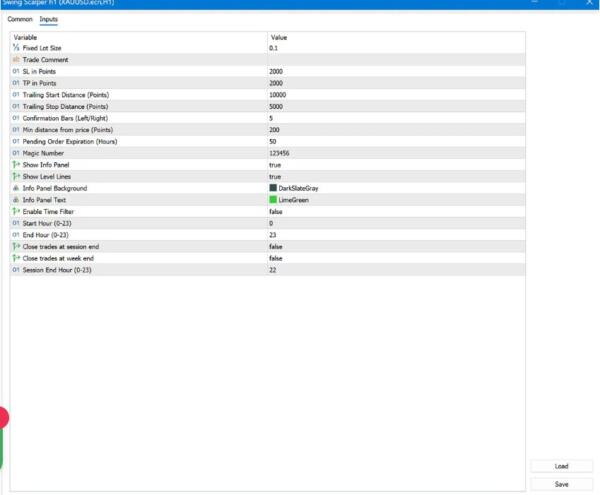
On the risk side, the settings are customizable: you can adjust risk levels, lot sizes and trading hours to fit your account and schedule. The vendor does not publish a detailed strategy white paper, and the listing does not describe martingale or grid logic. If avoiding position-averaging techniques is important to you — and it should be — we recommend confirming the exact money-management behavior on a demo account before going live.
Practical implication: because scalping strategies live or die on transaction costs, this type of EA performs best on low-spread ECN accounts with fast execution, ideally hosted on a VPS close to your broker’s server.
Live performance tracking
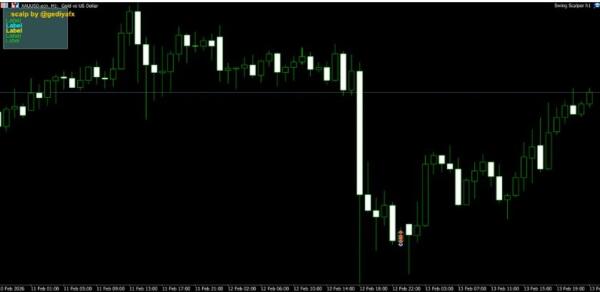
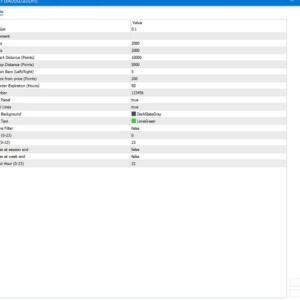
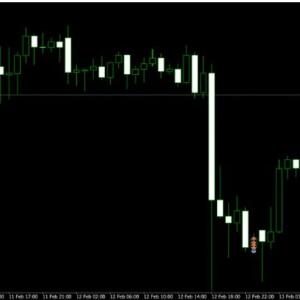
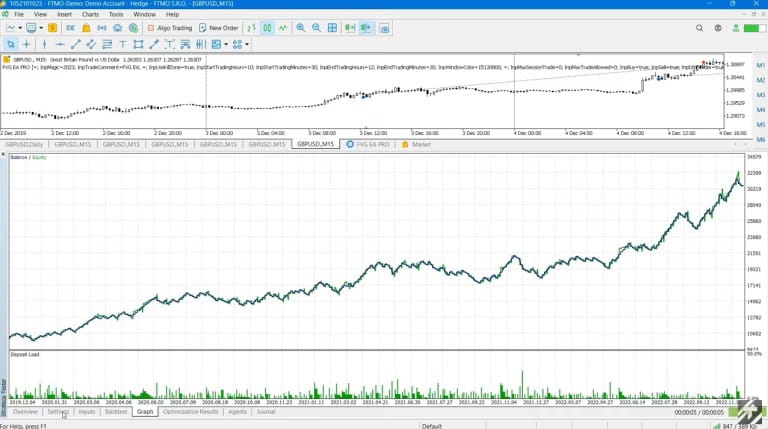
We prefer to be transparent here: at the time of writing, the product page does not link to a verified third-party track record such as Myfxbook or FX Blue, and we cannot point you to an audited live statement for this specific robot. What you see on the listing are screenshots provided with the product, which are useful for understanding the interface but are not a substitute for verified performance data.
Our recommendation is the same we give for every EA in this price range: run it on a demo account (or a small cent account) for at least a few weeks, across different market conditions, before allocating meaningful capital. And remember the standard rule: past performance is not indicative of future results — this applies to backtests, screenshots and live signals alike.
Key features
- No-DLL build — installs as a standard MT5 expert file, no DLL imports required, fewer security prompts on brokers and VPS.
- Automated scalping engine — designed to capture short-term price movements without manual intervention.
- Customizable risk settings — adjust risk level, lot size and trading hours to match your account and schedule.
- Real-time alerts — instant notifications on market conditions and trade executions.
- 24/5 market monitoring — the EA watches the market continuously during the trading week, even when you are away from the screen.
- User-friendly interface — parameters are accessible to both novice and experienced MT5 users.
- Broad broker compatibility — runs on the MetaTrader 5 platform, compatible with a wide range of brokers and instruments.
What is included
- The SWING SCALPER expert file for MetaTrader 5 (no-DLL version).
- Digital delivery to your customer account — the store notice indicates delivery within 1-8 hours after ordering.
- Access to the store’s installation resources and support channels (Telegram support and ticket system).
- 7-day refund window under the store’s refund policy.
The public listing does not specify how many live accounts the license covers; if you plan to run the EA on multiple accounts, contact support before purchase to confirm the license terms.
Recommended setup
| Pair | Major forex pairs with tight spreads (per the settings provided with the product) |
| Timeframe | Lower timeframes typical of scalping systems — use the timeframe indicated in the included settings |
| Minimum deposit | Not specified by the vendor; always validate on a demo account first |
| Account type | ECN / raw-spread account strongly recommended for scalping |
| Broker | Any MT5 broker with low spreads and fast execution |
| VPS | Recommended for uninterrupted 24/5 operation |
Who it is for (and who it is not for)
It is for MT5 traders who want an automated scalping tool without the hassle of DLL-based installations, who understand that EAs require testing and monitoring, and who are comfortable tuning risk settings on a demo account before going live.
It is not for anyone expecting guaranteed profits or a plug-and-forget money machine — no such product exists. It is also a poor fit if you cannot provide stable hosting (home PC that sleeps, unreliable internet), or if you trade with a prop firm without first confirming that third-party scalping EAs are allowed under that firm’s rules.
Installation in 4 steps
- Download the product files from your FXShop24 account after delivery.
- Copy the expert file into the MQL5/Experts folder of your MetaTrader 5 terminal (File → Open Data Folder).
- Restart MT5, drag the EA onto your chosen chart, enable Algo Trading, and load the recommended settings.
- Let it run on a demo account first and monitor its behavior before switching to live capital.
For a detailed walkthrough with screenshots, see our guide: How to install an Expert Advisor.
FAQ
Which platform does it run on? MetaTrader 5 only. This is the no-DLL build, so no DLL imports need to be enabled.
How is the product delivered? Digitally. The store notice indicates delivery within 1-8 hours after your order is processed.
How many accounts can I use it on? The license terms are not stated on the public listing — contact support before purchase if you need multiple accounts.
Can I use it on a prop firm account? That depends entirely on the prop firm’s rules on automated trading and scalping. Check with the firm first; we cannot guarantee compliance.
Are recommended settings included? The package is delivered with the product files and access to support; ask support for the recommended setup for your pair and account size.
Is there a refund policy? Yes — the store offers a 7-day refund window under its refund policy.
Risk warning
Trading forex and CFDs with leverage carries a high level of risk and can result in the loss of your entire capital. Automated systems do not remove that risk: scalping EAs are particularly sensitive to spreads, slippage, execution speed and broker conditions, and results vary significantly from one environment to another. Never trade with money you cannot afford to lose, always test any Expert Advisor on a demo account before going live, and remember that past performance — whether from backtests, screenshots or live accounts — is not indicative of future results. Nothing on this page constitutes financial advice or a guarantee of profits.
More Scalping EAs worth checking
- Zafiro Pro EA MT4
- BTX SCALPER PRO EA MT5
- BLACK MAX SCALPER MT4 V2.2 BUILD 1455+
- Daily Target EA MT5 v1.07 – Automated Daily Profit Target Scalping & Risk Management Expert Advisor | MTProFx Online Trading Tools
Browse the full category: Scalping EAs
Technical Specifications
| Platform | MetaTrader 5 |
| Categories | Scalping EAs, Expert Advisor, Expert Advisors MT5 |
| Strategy | Scalping |
| Setfiles | Included |
| Version | Latest release |
| Delivery | Instant download after checkout |
| Refund Policy | 7 days |
Frequently Asked Questions
Is this an original licensed product?
No — we supply unlocked versions for testing and evaluation, which may differ from the original licensed versions in functionality, compatibility, updates and support. For official licensing and developer support, purchase from the original developer. Read our pre-purchase guide for full details.
How and when do I receive it?
Immediately after checkout: the download link becomes available and you also receive a confirmation email. If anything is missing, contact live support and we will sort it out quickly.
Are setfiles and instructions included?
Yes — the product ships with recommended setfiles and a step-by-step installation guide, so you can go from download to a running terminal in minutes.
What if it does not work with my broker?
Reach out to support before going live: we will help you verify symbol names, account type and settings. And if the product still does not fit your setup, you are covered by our 7-day refund policy.
Ready to automate your trading?
Instant download · Setfiles included · Live support · 7-day refund policy





What others are saying
There are no contributions yet.