


PipFinite Trend Laser Indicator MT4 v10.0
$8.00
- Trend detection & noise filtering – Highlights genuine market trends while filtering out whipsaws and random noise.
- Multi‑timeframe confirmation – Uses higher and lower timeframes to validate trend direction and intensity.
- Color‑coded signals – Displays colored dots that traders can customize to match chart preferences.
- Non‑repainting indicator – Signals stay fixed once plotted, ensuring reliable and consistent trade decisions.
- Broad applicability – Works on MT4 for any currency pair and across all timeframes.
- Comprehensive package – Includes the
.ex4indicator, a detailed guide, and a video tutorial. - Risk disclaimer – Highlights that trading involves significant risk and past performance is not indicative of future results.
Original Product
Setfiles*
- Description
- Discussion (0)
Description
This is a third-party product supplied as an unlocked version for testing and evaluation. It may differ from the original licensed version in functionality, compatibility, updates and support. Images and performance reports come from the original developer and are not independently verified. No EA guarantees profits — test on a demo account for at least 72 hours. Read the full pre-purchase guide
PipFinite Trend Laser Indicator MT4 v10.0 — V10.0
PipFinite Trend Laser Indicator MT4 v10.0 is a MetaTrader trading tool supplied as an unlocked version for testing and evaluation — instant download and recommended setfiles included. Test it on demo, verify it on your broker, then decide with real data.
What It Is
A trend following trading tool for MetaTrader, supplied as unlocked files for testing and evaluation, ready to run in minutes.
Who It's For
Patient traders who accept quiet weeks between trends and prefer fewer, larger moves over constant action.
What's Included
The product file, recommended setfiles, a step-by-step installation guide and access to live support for setup questions.
Guarantee
Instant download right after purchase and a refund policy for defective or nonfunctional products — test everything on demo first.
About PipFinite Trend Laser Indicator MT4 v10.0
The PipFinite Trend Laser Indicator is a cutting‑edge tool designed for MetaTrader 4 traders who want a reliable way to spot market trends and filter out false signals. Built on a robust multi‑timeframe analysis framework, the indicator helps traders stay ahead of the market by providing clear visual cues on trend direction and intensity.
Key Features
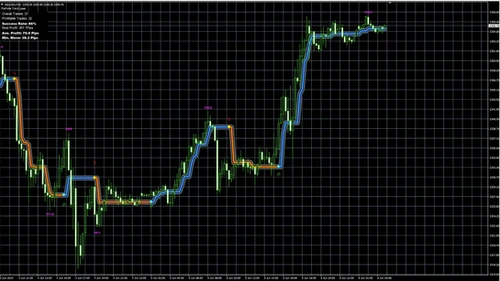
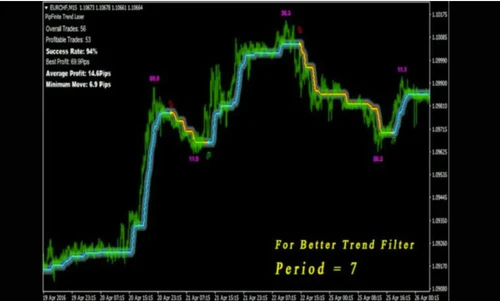
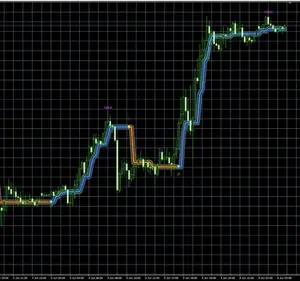
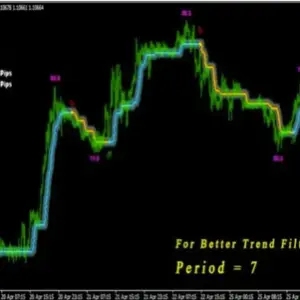
- Colored Dots for Trend Direction – The indicator displays distinct colored dots on the chart to show whether the market is trending up, down, or sideways, and how strong that trend is.
- Multi‑Timeframe Confirmation – It checks higher and lower timeframes simultaneously, ensuring that the trend shown on one timeframe is validated by another.
- No Repainting – All signals are final and are not recalculated after they appear, giving traders confidence that the indicator’s output is trustworthy.
- Customizable Colors – Traders can adjust the color scheme to match their chart preferences or to highlight specific market conditions.
- Noise & Whipsaw Reduction – By filtering out short‑term fluctuations, the indicator reduces the number of false entries and helps traders focus on genuine market moves.
Benefits for Traders
- Early trend identification before the market moves.
- Cross‑timeframe confirmation reduces the risk of chasing temporary price swings.
- Clear visual signals reduce cognitive load and speed up decision‑making.
- Customizable appearance keeps the chart clean and personal.
- Reliable outputs with no repainting eliminate misleading back‑testing results.
Supported Platform & Settings
- Platform: MetaTrader 4
- Currency Pairs: Any Pair
- Time Frame: All
Package Inclusions
- Indicator File –
PipFinite Trend Laser Indicator.ex4 - Guide – Step‑by‑step instructions for installation and configuration.
- Video Description – “How to fix MT5/MT4 high resolution scaling issues?” (YouTube link: https://youtu.be/UBHiVe8xtR8)
Installation Guide
- Open MetaTrader 4.
- Navigate to File > Open Data Folder.
- Copy the
PipFinite Trend Laser Indicator.ex4file into theIndicatorsfolder. - Restart MT4 or refresh the Navigator window.
- Drag the indicator onto the chart of your choice.
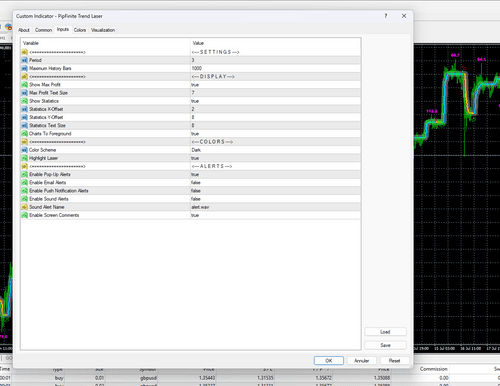
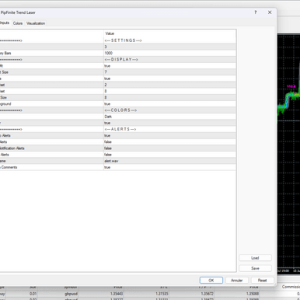
- Configure the color settings and time‑frame preferences in the indicator’s properties dialog.
Risk Disclosure
All trading involves risk. Leveraged trading can lead to significant gains or losses. Ensure you fully understand these risks before trading. Never trade with money you cannot afford to lose. Past performance is not indicative of future results.
More Trend Following EAs worth checking
- TPSproTREND PrO INDICATOR v6.3 (NEW!)
- SSIBS EA MT4
- Big Bull MT5 Trend Following indicator Strategy
- The Intelligent Trend – Trading Indicator MT4
Browse the full category: Trend Following EAs
Technical Specifications
| Platform | MetaTrader |
| Categories | Trend Following EAs, Indicators |
| Strategy | Trend Following |
| Setfiles | Included |
| Version | V10.0 |
| Delivery | Instant download after checkout |
| Refund Policy | 7 days |
Frequently Asked Questions
Is this an original licensed product?
No — we supply unlocked versions for testing and evaluation, which may differ from the original licensed versions in functionality, compatibility, updates and support. For official licensing and developer support, purchase from the original developer. Read our pre-purchase guide for full details.
How and when do I receive it?
Immediately after checkout: the download link becomes available and you also receive a confirmation email. If anything is missing, contact live support and we will sort it out quickly.
Are setfiles and instructions included?
Yes — the product ships with recommended setfiles and a step-by-step installation guide, so you can go from download to a running terminal in minutes.
What if it does not work with my broker?
Reach out to support before going live: we will help you verify symbol names, account type and settings. And if the product still does not fit your setup, you are covered by our 7-day refund policy.
Ready to automate your trading?
Instant download · Setfiles included · Live support · 7-day refund policy
What others are saying
There are no contributions yet.