





HARMONIZER EA MT5 V3.3 BUILD 6320+
$19.00
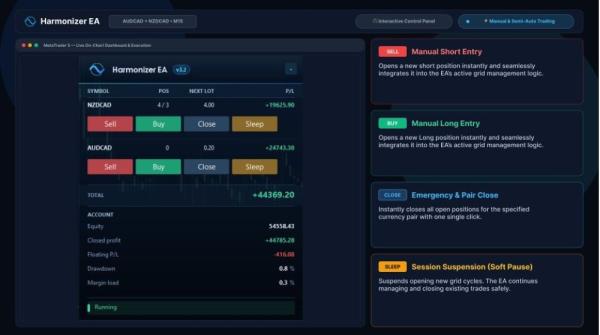
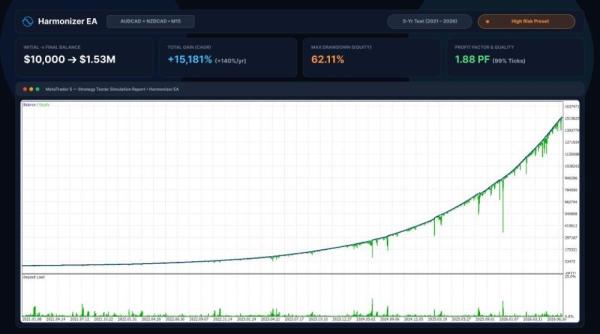
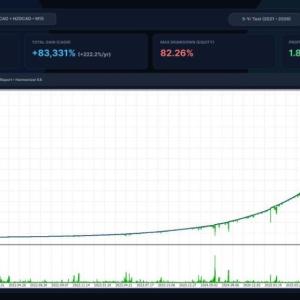
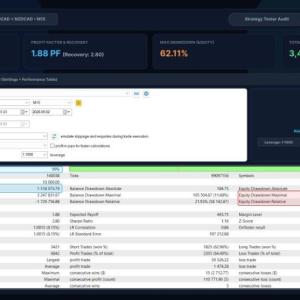
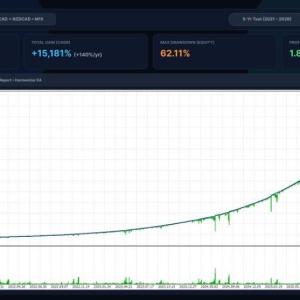
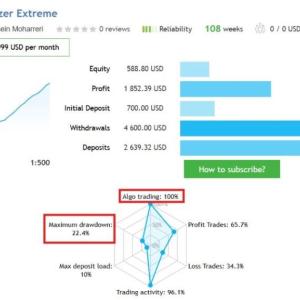
Harmonizer EA is an intelligent grid trading tool that applies a dynamic algorithm to calculate optimal entry positions for each individual trade. Rather than relying on historical data fitting, it adapts its calculations based on current market volatility. This approach allows the EA to respond efficiently to changing market conditions, identify potential trading opportunities, and manage risk within predefined parameters.
Original Product

Setfiles*
- Description
- Additional information
- Reviews (0)
Description
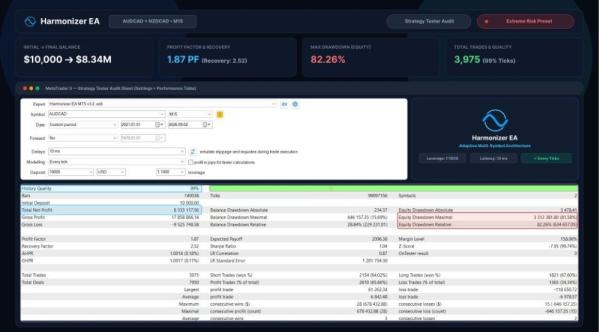
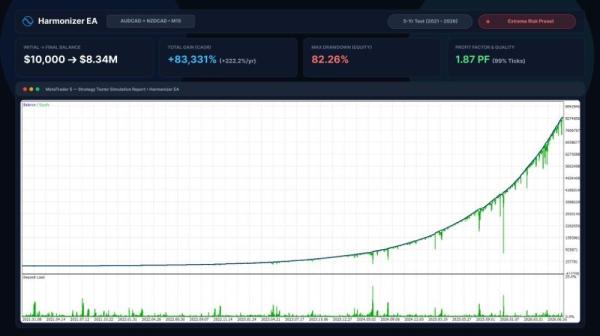
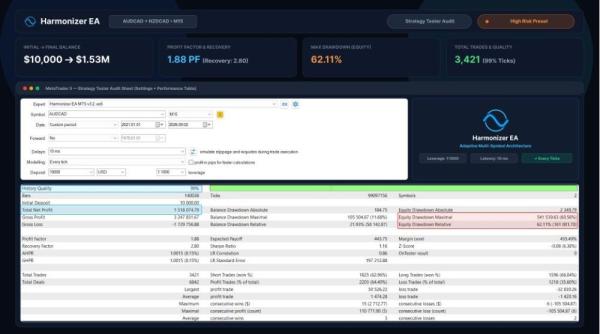
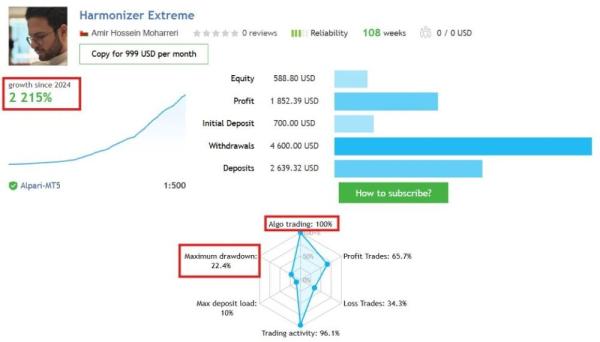
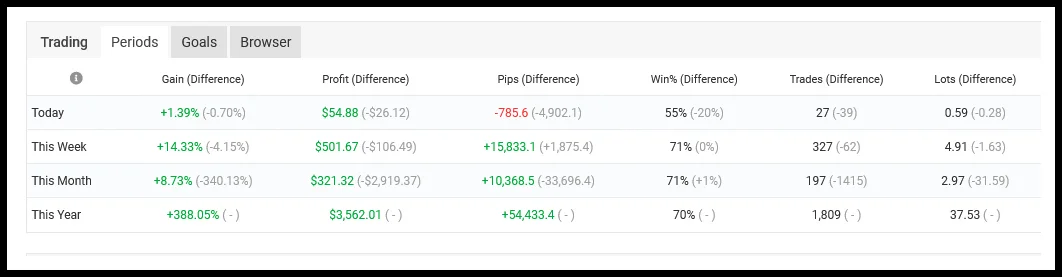
This is a third-party product supplied as an unlocked version for testing and evaluation. It may differ from the original licensed version in functionality, compatibility, updates and support. Images and performance reports come from the original developer and are not independently verified. No EA guarantees profits — test on a demo account for at least 72 hours. Read the full pre-purchase guide
HARMONIZER EA MT5 V3.3 BUILD 6320+ — V3.3
HARMONIZER EA MT5 V3.3 BUILD 6320+ is a MetaTrader 5 trading tool supplied as an unlocked version for testing and evaluation — instant download and recommended setfiles included. Test it on demo, verify it on your broker, then decide with real data.
What It Is
A trading tool for MetaTrader 5, supplied as unlocked files for testing and evaluation, ready to run in minutes.
Who It's For
Traders who want hands-free execution and are willing to validate the tool on a demo account before scaling into live risk — the professional way to adopt any EA.
What's Included
The product file, recommended setfiles, a step-by-step installation guide and access to live support for setup questions.
Guarantee
Instant download right after purchase and a refund policy for defective or nonfunctional products — test everything on demo first.
About HARMONIZER EA MT5 V3.3 BUILD 6320+
INTRODUCING HARMONIZER EA
Harmonizer EA is an intelligent grid trading tool that applies a dynamic algorithm to calculate optimal entry positions for each individual trade. Rather than relying on historical data fitting, it adapts its calculations based on current market volatility. This approach allows the EA to respond efficiently to changing market conditions, identify potential trading opportunities, and manage risk within predefined parameters.
Vendor website: https://www.mql5.com/en/market/product/96759
Key Takeaways
- Flexible Multi-Symbol Trading: Supports multiple trading symbols with a simple one-chart setup, offering flexibility across different markets.
- Smart Risk & Performance Management: Focuses on capital preservation through adaptive algorithms, news filtering for live trading and backtesting, and real-time performance monitoring.
- Reliable Support & Adaptability: Avoids historical data overfitting, operates across a wide range of symbols, and includes dedicated developer support.
HARMONIZER EA Features
- Platform: MetaTrader 5 (MT5)
- Time Frame: M15 (15-minute chart)
- Currency Pairs: AUDCAD, NZDCAD (AUDNZD optional)
- Minimum Capital: $500 recommended
- Leverage: 1:200 or higher
- Account Type: Hedging account
- Broker: ECN account recommended; spread sensitivity is low
- VPS: 24/7 operation recommended for uninterrupted trading
Archive password: fxshop24.net (the archive is encrypted — open it with 7-Zip or WinRAR).
Technical Specifications
| Platform | MetaTrader 5 |
| Categories | Expert Advisors MT5 |
| Setfiles | Included |
| Version | V3.3 |
| Delivery | Instant download after checkout |
| Refund Policy | 7 days |
Frequently Asked Questions
Is this an original licensed product?
No — we supply unlocked versions for testing and evaluation, which may differ from the original licensed versions in functionality, compatibility, updates and support. For official licensing and developer support, purchase from the original developer. Read our pre-purchase guide for full details.
How and when do I receive it?
Immediately after checkout: the download link becomes available and you also receive a confirmation email. If anything is missing, contact live support and we will sort it out quickly.
Are setfiles and instructions included?
Yes — the product ships with recommended setfiles and a step-by-step installation guide, so you can go from download to a running terminal in minutes.
What if it does not work with my broker?
Reach out to support before going live: we will help you verify symbol names, account type and settings. And if the product still does not fit your setup, you are covered by our 7-day refund policy.
Ready to automate your trading?
Instant download · Setfiles included · Live support · 7-day refund policy
Additional information
| pa_info | EA, NoDLL |
|---|---|
| pa_manual | No |
| pa_pair | AUDCAD, NZDCAD |
| pa_platform | Metatrader 5 |
| pa_preset | No |
| pa_timeframe | M15 |



Reviews
There are no reviews yet.