



FX24 SessionBreakout EA v1.10 MT5 — FREE
$0.00
FX24 SessionBreakout EA — free EA for MT5 by fxshop24.net.
Original Product

Setfiles*
- Description
- Reviews (0)
Description
This Expert Advisor was developed by the FXShop24 team. You receive full assistance, official support and updates directly from us. Read our pre-purchase testing guide before running it live.
FX24 SessionBreakout EA v1.10 MT5 — FREE — V1.10
FX24 SessionBreakout EA v1.10 MT5 — FREE is an original MetaTrader 4 trading tool developed by the FXShop24 team, with full support and updates included — instant download and recommended setfiles included. Test it on demo, verify it on your broker, then decide with real data.
What It Is
An automated trading tool developed by the FXShop24 team for MetaTrader 4 and ready to run on your terminal in minutes.
Who It's For
Traders who want hands-free execution and are willing to validate the tool on a demo account before scaling into live risk — the professional way to adopt any EA.
What's Included
The product file, recommended setfiles, a step-by-step installation guide and access to live support for setup questions.
Guarantee
Original FXShop24 product with full support, instant download right after purchase and our refund policy.
About FX24 SessionBreakout EA v1.10 MT5 — FREE
FX24 SessionBreakout EA v1.10 is a free Expert Advisor developed and released by the FXShop24 team — the first of our free weekly tools for the channel community. It automates the classic opening-range breakout strategy on MetaTrader 5: you define a session window, the EA measures its high and low, and trades the breakout in both directions with pending orders. Free download, no license key, no expiration.
In this review
- What is FX24 SessionBreakout EA?
- How the breakout strategy works
- Key features
- What is included
- Recommended setup
- Who it is for (and who it is not for)
- Installation in 4 steps
- FAQ
- Risk warning
What is FX24 SessionBreakout EA?
SessionBreakout is our own free tool — an FXShop24 Exclusive release, which means direct support and updates from the team that built it, not a third-party reskin. It was published as free weekly tool #1 for the FXShop24 Telegram channel community and is distributed free of charge, with the only requirement being that the copyright notice stays intact.
The EA implements one of the oldest and most studied intraday setups — the session opening-range breakout — in a clean, fully configurable way: no hidden logic, no license server, no upsell required to make it work.
How the breakout strategy works
The logic follows the documented four-step process:
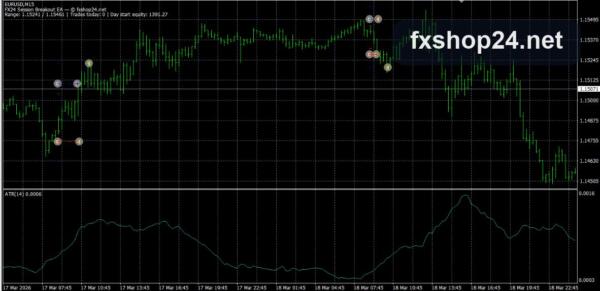
- You define a session window in server time — the default is the Asian session, 00:00–08:00.
- When the window ends, the EA measures the range: the session’s High and Low.
- It places a Buy Stop above the High and a Sell Stop below the Low, with a configurable buffer distance.
- When one side triggers, the opposite pending order is deleted automatically (OCO logic) — you are only ever exposed to the breakout that actually happened.
Why this setup has survived decades of markets: the Asian session typically compresses volatility into a narrow range, and the European open often expands it directionally. Trading the measured breakout of that range is a systematic way to capture the expansion without predicting its direction. Two honest caveats: false breakouts are the strategy’s natural cost, and results depend heavily on the symbol and session you choose — which is why the window and buffer are fully configurable and why demo validation matters.
Key features
- 100% free — no license key, no expiration, no account limit
- Classic opening-range breakout logic, fully automated
- Configurable session window (server time) and entry buffer
- OCO order handling: the untriggered pending order is removed automatically
- Pending-order logic only — no grid or martingale averaging
- Developed and supported directly by the FXShop24 team
- Illustrated installation manual included in the package
- Free redistribution allowed with the copyright notice intact
What is included
- FX24 SessionBreakout EA v1.10 file for MetaTrader 5
- Step-by-step illustrated manual (screenshots included in the package)
- Free distribution license — resale or removal of the copyright notice is not permitted
- Community support and release notifications on our Telegram channel
Recommended setup
| Setting | Recommendation |
|---|---|
| Platform | MetaTrader 5 (see FAQ for MT4) |
| Symbols | Liquid symbols with clean session structure — validate your choice on demo first |
| Session window | Default Asian session 00:00–08:00 server time; adjust to your broker’s timezone |
| Entry buffer | Configurable — start with the default and optimize on historical data |
| Account type | Any account; low spreads improve breakout economics |
| Testing | Minimum 72 hours on demo during market hours before any live consideration |
Who it is for (and who it is not for)
It is for traders who want a transparent, configurable breakout tool to learn systematic trading with, MT5 users looking for a free EA with no strings attached, and anyone curious about session-based strategies.
It is not for traders expecting a finished money-making machine — it is a strategy framework that needs your session, symbol and risk choices — or anyone unwilling to test on demo before going live.
Installation in 4 steps
- Download the package and unzip it — archive password: fxshop24.net (the archive is encrypted; open it with 7-Zip or WinRAR).
- Copy the files into your MT5 data folder (File → Open Data Folder → MQL5).
- Restart MetaTrader, attach the EA to a chart and enable Algo Trading.
- Configure the session window for your broker’s server time and start your demo test.
Full walkthrough with screenshots: How to install an Expert Advisor.
FAQ
Is it really free? Yes — free download, no license key, no expiration, no account limit. It is our free weekly tool #1 for the channel community.
Which platforms are supported? This release is for MetaTrader 5. The package documentation references MT4 & MT5 — check the channel for the version matching your terminal.
What is the archive password? fxshop24.net — the zip is encrypted; open it with 7-Zip or WinRAR.
Does it use martingale or grid? No. It works with single pending stop orders per direction, and the untriggered order is deleted automatically (OCO logic).
Can I use it on a live account? It is free software provided “as is” — always forward-test on a demo account first and decide with your own data.
How do I get updates? Updates and new free tools are announced on the FXShop24 Telegram channel.
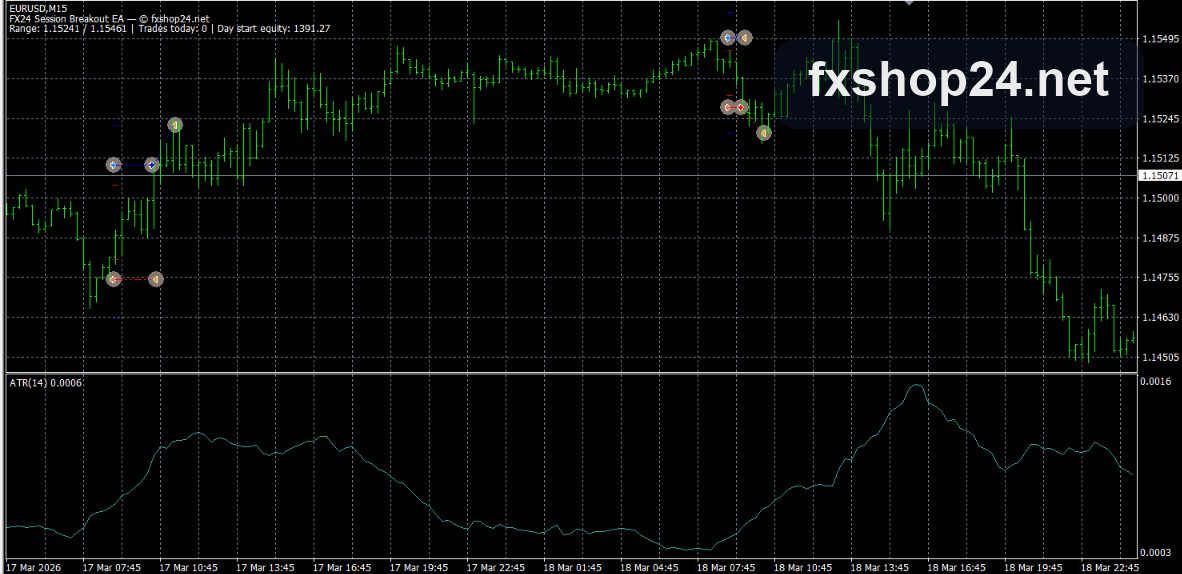
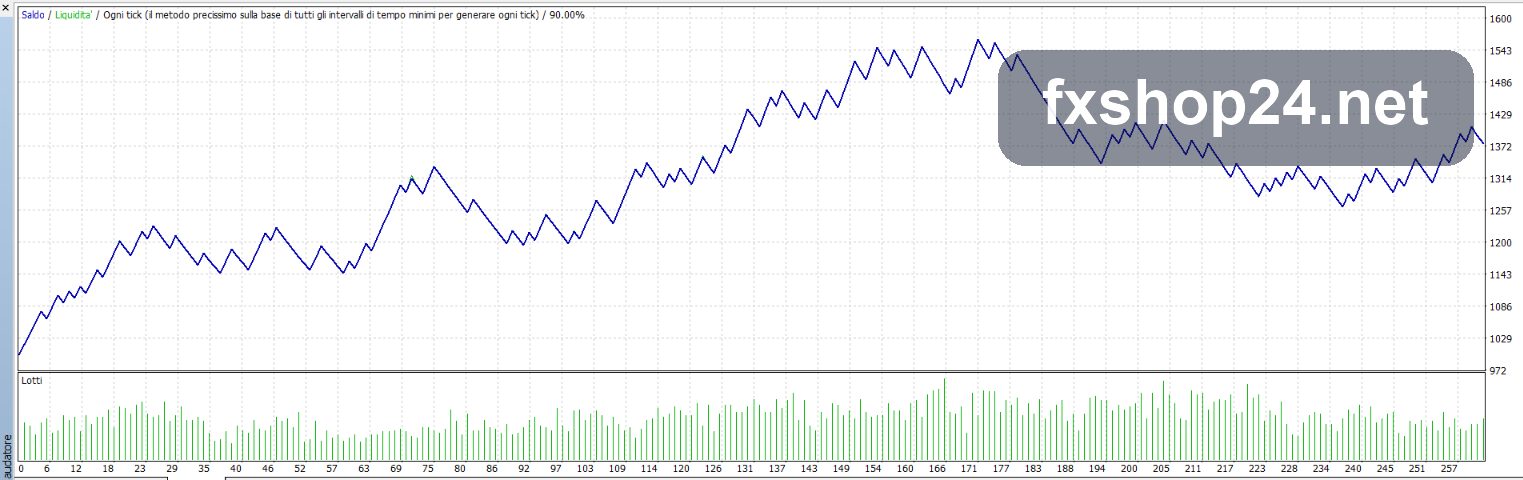
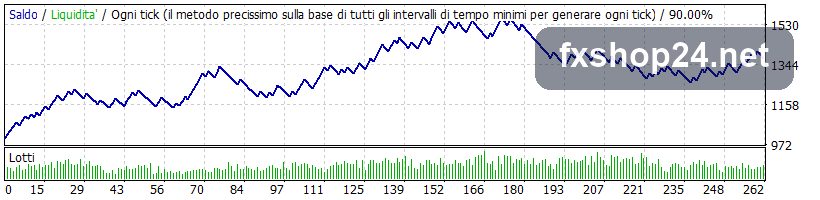
Illustrated Manual
Risk warning
Trading leveraged products carries a high level of risk. Breakout strategies suffer losses during false breakouts and ranging markets. Past performance is not indicative of future results. This software is provided “as is” — always test on a demo account first and never trade money you cannot afford to lose.
More FXShop24 Exclusive EAs worth checking
Browse the full category: FXShop24 Exclusive EAs
Technical Specifications
| Platform | MetaTrader 4 |
| Categories | Free EA, MT4, Expert Advisors MT5, FXShop24 Exclusive EAs |
| Setfiles | Included |
| Version | V1.10 |
| Delivery | Instant download after checkout |
| Refund Policy | 7 days |
Frequently Asked Questions
Is this an official FXShop24 product?
Yes — this Expert Advisor was developed by the FXShop24 team. You receive full assistance, official support and updates directly from us.
How and when do I receive it?
Immediately after checkout: the download link becomes available and you also receive a confirmation email. If anything is missing, contact live support and we will sort it out quickly.
Are setfiles and instructions included?
Yes — the product ships with recommended setfiles and a step-by-step installation guide, so you can go from download to a running terminal in minutes.
What if it does not work with my broker?
Reach out to support before going live: we will help you verify symbol names, account type and settings. And if the product still does not fit your setup, you are covered by our 7-day refund policy.
Ready to automate your trading?
Instant download · Setfiles included · Live support · 7-day refund policy



Reviews
There are no reviews yet.