

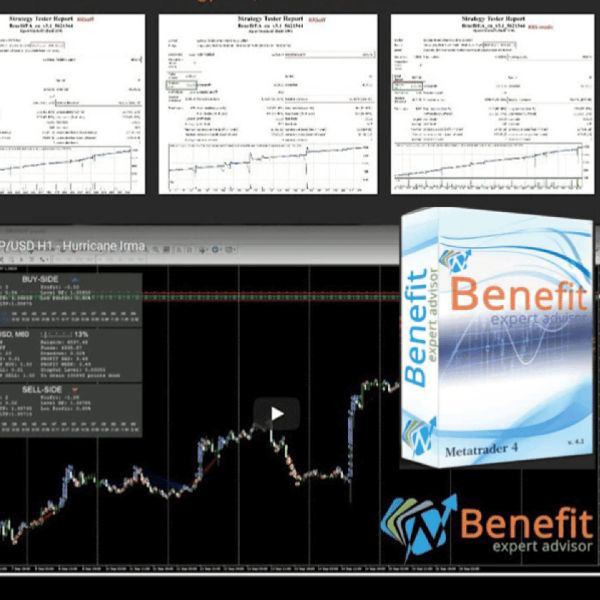


- Description
- Discussion (0)
Description
This is a third-party product supplied as an unlocked version for testing and evaluation. It may differ from the original licensed version in functionality, compatibility, updates and support. Images and performance reports come from the original developer and are not independently verified. No EA guarantees profits — test on a demo account for at least 72 hours. Read the full pre-purchase guide
Benefit EA v5.1 — V5.1
Benefit EA v5.1 is a MetaTrader 4 trading tool supplied as an unlocked version for testing and evaluation — instant download and recommended setfiles included. Test it on demo, verify it on your broker, then decide with real data.
What It Is
A trading tool for MetaTrader 4, supplied as unlocked files for testing and evaluation, ready to run in minutes.
Who It's For
Traders who want hands-free execution and are willing to validate the tool on a demo account before scaling into live risk — the professional way to adopt any EA.
What's Included
The product file, recommended setfiles, a step-by-step installation guide and access to live support for setup questions.
Guarantee
Instant download right after purchase and a refund policy for defective or nonfunctional products — test everything on demo first.
About Benefit EA v5.1
Original website: benefit-ea.com
Original Price: $1,500
Content: Expert: BenefitEA v5.1_fix 1420.ex4 (Unlocked for MT4 Build 1420+), Document: BenefitEA_2.3.pdf
-The entry points are optimized. Mathematics solutions are adjusted.
-Added buttons for semi-automatic trading. Using the buttons, it is now possible to block the operation of one or both sides of the trade.
-Added text notification of the status of the blocking of trade.
-Fixed displaying the volume of the purchased order in the interface.
-Added displaying the status of the leverage in the interface.
-Now our logo is visible.
-Optimized the work of the RRS module.
-Completely redesigned and adjusted the “time filter” module. The “time filter” is set according to the internal time of the terminal. According to the displayed time on the trading chart. Not the operating system (can match). This function allows you to make the trading process 100% automatic, without hands and control (if technically everything is working properly and as it should). The status “time filter” is displayed in text form in the upper left corner of the trading window.
-Optimized the work of the trailing system.
More Expert Advisors MT4 worth checking
- FundedEA Quantum Premium v3.1 (Latest Version)
- AI Gen XII EA | Advanced GPT‑4o Forex Trading Expert Advisor
- Waka Waka EA v4.59 MT4
- Midas Bot: The Best Gold Trading Robot for MT4 | Maximize Profits in 5 Minutes
Browse the full category: Expert Advisors MT4
Technical Specifications
| Platform | MetaTrader 4 |
| Categories | Expert Advisor, Expert Advisors MT4 |
| Setfiles | Included |
| Version | V5.1 |
| Delivery | Instant download after checkout |
| Refund Policy | 7 days |
Frequently Asked Questions
Is this an original licensed product?
No — we supply unlocked versions for testing and evaluation, which may differ from the original licensed versions in functionality, compatibility, updates and support. For official licensing and developer support, purchase from the original developer. Read our pre-purchase guide for full details.
How and when do I receive it?
Immediately after checkout: the download link becomes available and you also receive a confirmation email. If anything is missing, contact live support and we will sort it out quickly.
Are setfiles and instructions included?
Yes — the product ships with recommended setfiles and a step-by-step installation guide, so you can go from download to a running terminal in minutes.
What if it does not work with my broker?
Reach out to support before going live: we will help you verify symbol names, account type and settings. And if the product still does not fit your setup, you are covered by our 7-day refund policy.
Ready to automate your trading?
Instant download · Setfiles included · Live support · 7-day refund policy




What others are saying
There are no contributions yet.