



AxisA1 EA v1.60 – MT4 Expert Advisor Trading RobotAxisA1 EA v1.60 MT4 Expert Advisor – Advanced Trading RobotAxisA1 EA MT4 Expert Advisor v1.60 – Advanced Trading RobotAxisA1 EA v1.60
$18.00
Original Product
Setfiles*
- Description
- Reviews (0)
Description
This is a third-party product supplied as an unlocked version for testing and evaluation. It may differ from the original licensed version in functionality, compatibility, updates and support. Images and performance reports come from the original developer and are not independently verified. No EA guarantees profits — test on a demo account for at least 72 hours. Read the full pre-purchase guide
AxisA1 EA v1.60 - MT4 Expert Advisor Trading RobotAxisA1 EA v1.60 MT4 Expert Advisor - Advanced Trading RobotAxisA1 EA MT4 Expert Advisor v1.60 - Advanced Trading RobotAxisA1 EA v1.60 — V1.60
AxisA1 EA v1.60 - MT4 Expert Advisor Trading RobotAxisA1 EA v1.60 MT4 Expert Advisor - Advanced Trading RobotAxisA1 EA MT4 Expert Advisor v1.60 - Advanced Trading RobotAxisA1 EA v1.60 is a MetaTrader 4 trading tool supplied as an unlocked version for testing and evaluation — instant download and recommended setfiles included. Test it on demo, verify it on your broker, then decide with real data.
What It Is
A trading tool for MetaTrader 4, supplied as unlocked files for testing and evaluation, ready to run in minutes.
Who It's For
Traders who want hands-free execution and are willing to validate the tool on a demo account before scaling into live risk — the professional way to adopt any EA.
What's Included
The product file, recommended setfiles, a step-by-step installation guide and access to live support for setup questions.
Guarantee
Instant download right after purchase and a refund policy for defective or nonfunctional products — test everything on demo first.
About AxisA1 EA v1.60 - MT4 Expert Advisor Trading RobotAxisA1 EA v1.60 MT4 Expert Advisor - Advanced Trading RobotAxisA1 EA MT4 Expert Advisor v1.60 - Advanced Trading RobotAxisA1 EA v1.60
AxisA1 EA v1.60 is a multi-condition Expert Advisor for MetaTrader 4 that combines trend detection with pullback entries. Version 1.60 is a mature release with refined entry filters and updated money-management options, aimed at traders who prefer a configurable system over a black box. On FXShop24 it is supplied as an unlocked version for testing and evaluation, with instant download, recommended setfiles and a 7-day refund policy — so you can validate it on a demo account before risking real capital.
In this review
- What is AxisA1 EA v1.60?
- How the strategy works
- Live performance tracking
- Key features
- What is included
- Recommended setup
- Who it is for (and who it is not for)
- Installation in 4 steps
- FAQ
- Risk warning
What is AxisA1 EA v1.60?
AxisA1 is an automated trading robot built exclusively for MetaTrader 4. The v1.60 build is the result of several iterations: earlier versions established the core trend-pullback engine, while the 1.60 release refined the entry filters and expanded the money-management inputs. What distinguishes it from many EAs in this price range is transparency of configuration — virtually every key parameter is exposed in the inputs panel, so experienced users can adapt the logic to additional pairs and volatility regimes instead of accepting fixed hidden settings.
On FXShop24 the product is offered at $18 as an unlocked version intended for testing and evaluation. Images and performance material originate from the original developer and are not independently verified by the marketplace — which is exactly why the demo-first approach described below matters.
How the strategy works
The core logic combines trend detection with pullback entries. The EA first waits for the market to declare a direction, then looks for retracements into value zones before committing to a position. This avoids chasing extended moves and aims for entries with a better risk-to-reward profile.
Trade management uses a basket of exit rules — fixed targets, trailing stops and time-based exits — so positions are handled differently as volatility regimes change. By default the EA manages one directional position per symbol; no martingale or grid recovery mechanism is documented in the product material. That said, aggressive custom settings can still increase drawdown sharply, so changes should be tested one parameter at a time.
The recommended operating range is the M30–H1 timeframes on major forex pairs, where the trend-pullback logic has the cleanest structure to work with.
Live performance tracking
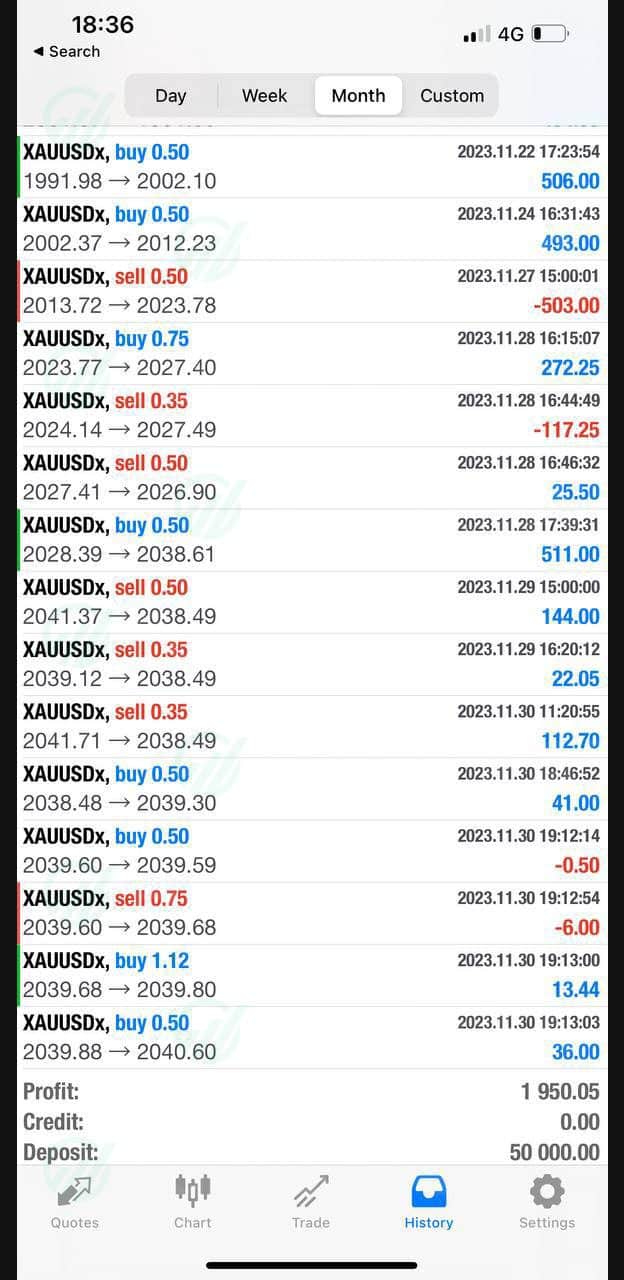
At the time of writing, there is no independently verified live track record (such as a public Myfxbook or FX Blue account) linked on this product page. The performance images and reports shown come from the original developer and have not been verified by FXShop24. We state this openly because it is the single most important fact for your decision: treat any backtest or screenshot as indicative only, and remember that past performance is not indicative of future results. The correct way to evaluate AxisA1 is a forward test on a demo account — at least 72 hours, ideally several weeks — on your own broker’s feed.
Key features
- Trend-pullback engine: enters on retracements in the direction of the detected trend, not on breakouts.
- Multiple exit rules: fixed take profit, trailing stop and time-based exits managed per position.
- Refined v1.60 filters: updated entry conditions and money-management options in the latest release.
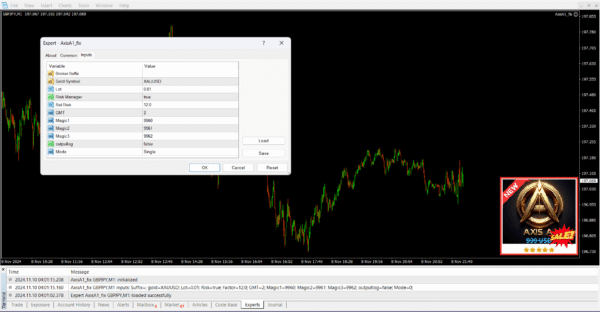
- Fully exposed inputs: all key parameters are configurable and documented, including .set file support.
- One position per symbol by default: no documented martingale or grid recovery logic.
- MT4 native: lightweight .ex4 installation, compatible with any MetaTrader 4 broker.
- Setfiles included: recommended starting configurations, plus a bonus setfile pack on the FXShop24 Telegram channel.
- Instant delivery: download right after purchase (delivery window 1–8 hours), with live support for setup questions.
What is included
- AxisA1 EA v1.60 for MetaTrader 4 (unlocked version for testing and evaluation)
- Recommended setfiles for the default configuration
- Parameter documentation covering the main inputs
- Step-by-step installation guide
- Access to live support for setup questions
- 7-day refund policy for defective or non-functional products
Recommended setup
| Setting | Recommendation |
|---|---|
| Pair | Major forex pairs (EURUSD, GBPUSD, USDJPY and similar liquid majors) |
| Timeframe | M30 – H1 |
| Minimum deposit | $250 |
| Account type | Any MT4 account; low-spread accounts improve entry quality |
| Broker | Any MetaTrader 4 broker |
| VPS | Optional but recommended for uninterrupted 24/5 operation |
Who it is for (and who it is not for)
It is for traders who want hands-free execution of a configurable trend-pullback system and are willing to validate it properly: demo first, one parameter change at a time, realistic risk settings. It suits users who read documentation and treat an EA as a tool, not a lottery ticket.
It is not for anyone looking for guaranteed profits, a plug-and-play income machine, or a verified live track record — because this product currently has none published. If you need independent verification before buying, wait until a public track record exists or test the unlocked version yourself first.
Installation in 4 steps
- Download the product files from your FXShop24 account right after purchase.
- Copy the EA file into the MQL4/Experts folder of your MT4 terminal (File → Open Data Folder).
- Restart MT4, drag AxisA1 onto an M30 or H1 chart of a major pair and load a recommended setfile via the Inputs tab.
- Enable AutoTrading and let it run on a demo account for at least 72 hours before considering live use.
For screenshots and troubleshooting, see the full guide: How to install an Expert Advisor on MT4.
FAQ
Which platform does AxisA1 EA v1.60 run on? MetaTrader 4 only. It is not compatible with MT5 or cTrader.
How is the product delivered? Instant download after purchase, within a 1–8 hour delivery window. The package includes the EA file, setfiles and documentation.
Can I use custom setfiles? Yes. The EA loads standard .set files and the documentation explains the main inputs, so you can build and save your own configurations.
Is it suitable for prop firm challenges? It is not specifically designed or verified for prop firm rules. If you plan to use it on a funded account, test it thoroughly against the firm’s daily drawdown and consistency rules on demo first.
Does it hedge or use martingale? By default it manages one directional position per symbol. No martingale or grid recovery logic is documented in the product material.
Is there a refund policy? Yes — FXShop24 offers a 7-day refund policy for defective or non-functional products, plus live support for setup issues.
Risk warning
Trading forex and CFDs with leverage carries a high level of risk and can result in the loss of your entire deposit. No Expert Advisor — including AxisA1 EA v1.60 — guarantees profits, and past performance is not indicative of future results. This product is supplied as an unlocked version for testing and evaluation: it may differ from the original licensed version in functionality, compatibility, updates and support. Always test on a demo account for at least 72 hours (preferably longer) before using real money, never trade with funds you cannot afford to lose, and change only one parameter at a time when optimizing. If you are unsure whether automated trading suits your situation, seek advice from an independent financial advisor.
More Expert Advisors MT4 worth checking
Browse the full category: Expert Advisors MT4
Technical Specifications
| Platform | MetaTrader 4 |
| Categories | Expert Advisor, Expert Advisors MT4 |
| Setfiles | Included |
| Version | V1.60 |
| Delivery | Instant download after checkout |
| Refund Policy | 7 days |
Frequently Asked Questions
Is this an original licensed product?
No — we supply unlocked versions for testing and evaluation, which may differ from the original licensed versions in functionality, compatibility, updates and support. For official licensing and developer support, purchase from the original developer. Read our pre-purchase guide for full details.
How and when do I receive it?
Immediately after checkout: the download link becomes available and you also receive a confirmation email. If anything is missing, contact live support and we will sort it out quickly.
Are setfiles and instructions included?
Yes — the product ships with recommended setfiles and a step-by-step installation guide, so you can go from download to a running terminal in minutes.
What if it does not work with my broker?
Reach out to support before going live: we will help you verify symbol names, account type and settings. And if the product still does not fit your setup, you are covered by our 7-day refund policy.
Ready to automate your trading?
Instant download · Setfiles included · Live support · 7-day refund policy





Reviews
There are no reviews yet.