



18
Jan
How to Automate Forex Trades Using MT4 and MT5 Easily
Selecting the right Expert Advisor can make the difference between steady gains and unexpected setbacks in the fast-moving Forex markets. With so many automated options available for MetaTrader users, finding a solution that genuinely matches your trading style and risk tolerance becomes a critical challenge. By focusing on a thorough self-assessment and reviewing performance metrics like historical returns and drawdown, traders and fund managers can confidently choose and implement automated strategies that fit their unique objectives.
Table of Contents
- Step 1: Assess Trading Needs And Choose The Right EA
- Step 2: Install Expert Advisors On MT4 Or MT5
- Step 3: Configure EA Settings For Optimal Performance
- Step 4: Backtest And Optimize Automated Strategies
- Step 5: Monitor And Verify Automated Trade Execution
Quick Summary
| Key Insight | Explanation |
|---|---|
| 1. Assess Your Trading Style | Understand if you are conservative, aggressive, or balanced to select the right EA that matches your trading approach. |
| 2. Analyze EA Performance Metrics | Examine historical returns, drawdown, win rates, and consistency to evaluate how well the EA could perform based on your goals. |
| 3. Configure Settings Thoughtfully | Adjust parameters like trade volume and risk management to align the EA’s trading strategy with your individual risk tolerance. |
| 4. Backtest Before Live Trading | Validate EA performance against historical data to ensure it can effectively handle various market conditions before risking actual capital. |
| 5. Monitor and Review Regularly | Use MetaTrader’s performance tools and logs to track EA effectiveness, making adjustments as necessary based on its performance data. |
Step 1: Assess Trading Needs and Choose the Right EA
Selecting the perfect Expert Advisor (EA) requires strategic planning and understanding your unique trading profile. The goal is matching an automated trading solution that aligns precisely with your financial objectives, risk tolerance, and market approach.
Begin by conducting a comprehensive self assessment of your trading style. Are you a conservative investor seeking steady returns, or an aggressive trader comfortable with higher risk strategies? Detailed EA selection criteria suggest examining several critical factors. First, analyze your preferred trading timeframes short term scalping versus long term position trading. Next, evaluate your risk management preferences regarding maximum drawdown percentage and position sizing strategies.
Here’s a comparison of key trading styles and their typical EA requirements:
| Trading Style | Preferred Timeframe | Risk Profile | EA Feature Focus |
|---|---|---|---|
| Conservative Investor | Long-term/Position | Low to moderate risk | Strong risk management |
| Aggressive Trader | Short-term/Scalping | High risk tolerance | High trading frequency |
| Balanced Trader | Medium-term/Swing | Moderate risk | Flexibility in parameters |
Carefully review potential Expert Advisors performance metrics like historical return rates, maximum drawdown, win rate, and consistency. Look beyond headline profit numbers and scrutinize detailed performance reports. Pay special attention to market conditions where the EA performs best matching those aligned with your trading instruments and goals.
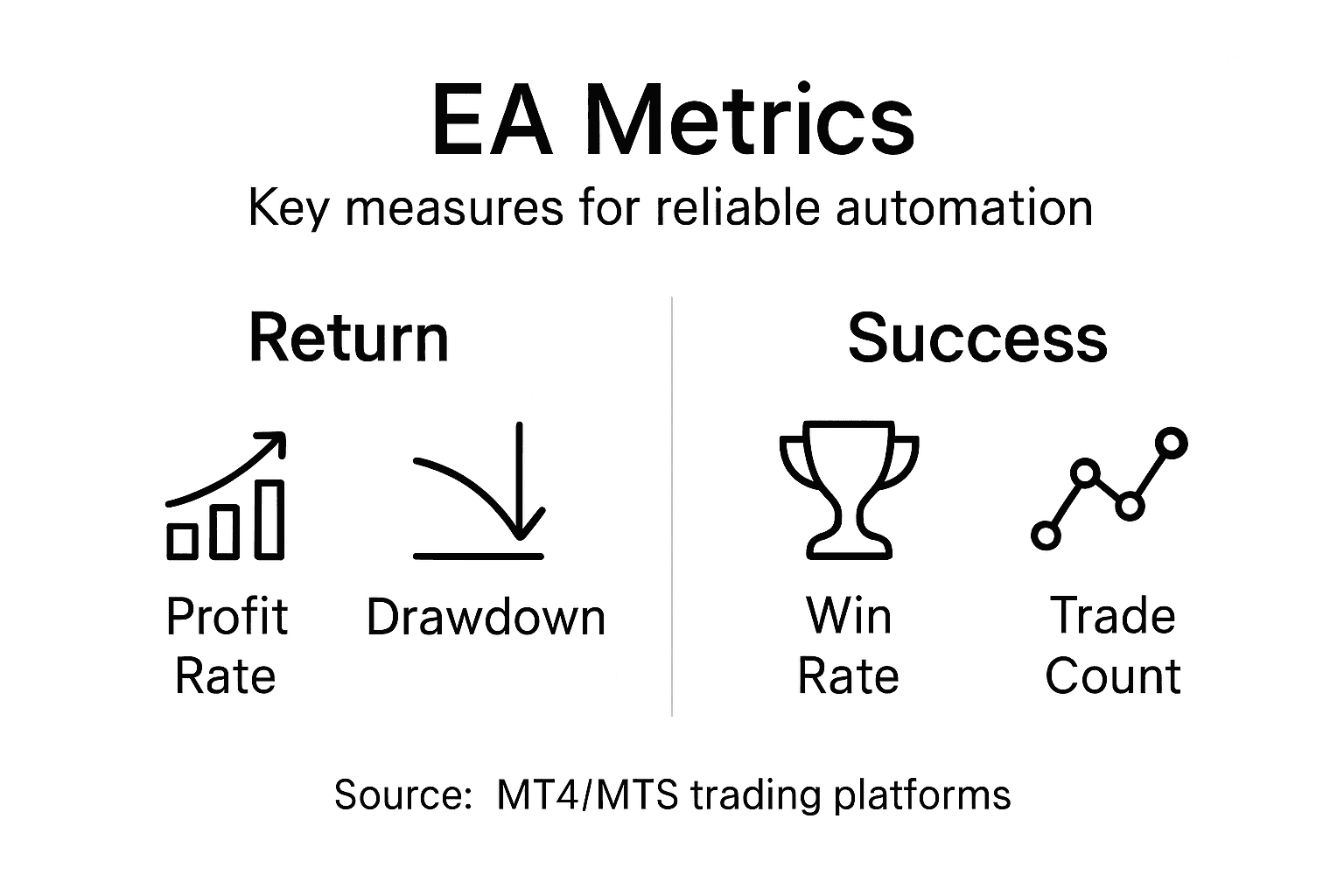
The table below summarizes essential performance metrics for evaluating an Expert Advisor:
| Metric | What It Measures | Why It Matters |
|---|---|---|
| Historical Return | Average profit over time | Indicates overall profitability |
| Max Drawdown | Largest loss sustained | Shows potential risk exposure |
| Win Rate | Percentage of winning trades | Reflects consistency |
| Performance Consistency | Stability across markets | Determines reliability |
Pro tip: Always download and test EAs using demo accounts before committing real capital, allowing you to validate performance without financial risk.
Step 2: Install Expert Advisors on MT4 or MT5
Getting your Expert Advisor up and running requires careful navigation through MetaTrader platforms. Your goal is seamlessly integrating automated trading software to transform your trading strategy.
To begin installation, download your chosen Expert Advisor file and locate the correct directory for your trading platform. Expert Advisor installation process involves several precise steps. For MT4 users, navigate to the MetaTrader installation folder typically found at Documents/MetaTrader 4/MQL4/Experts. MT5 users will find their directory at Documents/MetaTrader 5/MQL5/Experts. Simply copy the downloaded EA file into this specific folder.
After file placement, restart your MetaTrader platform to ensure proper recognition. Open the Navigator window, locate the Expert Advisors section, and verify your newly added software appears. Drag the EA onto your preferred chart and configure its settings carefully. Check critical permissions like Allow Live Trading to guarantee full operational capabilities.
Pro tip: Always keep multiple backup copies of your Expert Advisor files in a separate secure location to prevent potential loss during system updates or crashes.
Step 3: Configure EA Settings for Optimal Performance
Configuring your Expert Advisor requires precision and strategic thinking to maximize trading potential. Your goal is transforming raw automated trading software into a finely tuned financial instrument aligned with your specific investment objectives.
Expert Advisor parameter configuration demands careful attention to multiple critical settings. Start by examining core parameters like trade volume, stop loss percentages, take profit levels, and maximum drawdown thresholds. These fundamental inputs determine how aggressively or conservatively your EA will operate. Consider your risk tolerance carefully selecting each parameter. Adjust trading frequency settings to match your preferred market approach whether you prefer high volume scalping or more measured long term position trading.

Delve into advanced customization options that allow granular control over trade execution. Explore filters for market entry and exit conditions including specific price action triggers, volatility thresholds, and technical indicator crossover points. Pay special attention to risk management features that can automatically limit potential losses and protect your trading capital from unexpected market movements.
Pro tip: Always backtest your Expert Advisor settings using historical market data before deploying live to validate performance and identify potential configuration weaknesses.
Step 4: Backtest and Optimize Automated Strategies
Backtesting transforms your Expert Advisor from a theoretical concept into a battle-tested trading tool. Your mission is to simulate and validate your automated strategy using historical market data before risking real capital.
Effective backtesting strategies require a methodical approach that goes beyond simple parameter fitting. Begin by selecting comprehensive historical data that represents diverse market conditions. Utilize MetaTrader’s Strategy Tester feature to run simulations across multiple timeframes and market scenarios. Pay close attention to key performance metrics like net profit, maximum drawdown, profit factor, and win rate to assess your Expert Advisor’s potential real world effectiveness.
Move beyond basic optimization by stress testing your strategy. Introduce variations in market volatility, adjust parameter ranges systematically, and evaluate how your EA performs under different economic conditions. Look for consistent performance rather than perfect historical matches. The goal is developing a robust trading strategy that can adapt to changing market dynamics, not creating an algorithm that simply performs well on past data.
Pro tip: Always save multiple versions of your backtested strategy configurations, allowing you to compare and track performance improvements across different parameter sets.
Step 5: Monitor and Verify Automated Trade Execution
Maintaining vigilant oversight of your Expert Advisor ensures consistent performance and protects your trading capital. Your objective is creating a robust monitoring system that catches potential issues before they impact your investment strategy.
Expert Advisor monitoring techniques demand continuous and strategic observation. Utilize MetaTrader’s built-in performance tracking tools to analyze real-time metrics including current trade status, profit and loss statements, win rate percentages, and total account drawdown. Set up custom alerts for critical events such as unexpected trade frequency, significant loss thresholds, or sudden strategy deviation. Configure your platform to generate detailed performance logs that provide comprehensive insights into each trade execution.
Develop a systematic approach to reviewing your Expert Advisor’s performance. Create weekly and monthly performance review schedules to assess long term trends and identify potential optimization opportunities. Pay attention to correlation between market conditions and your EA’s performance. Watch for patterns in trade execution timing, risk management adherence, and overall strategy consistency. Be prepared to make calculated adjustments based on comprehensive performance data.
Pro tip: Create a dedicated spreadsheet or tracking document to log your Expert Advisor’s performance metrics, enabling you to maintain a comprehensive historical record of its trading behavior.
Take Full Control of Your Forex Automation Journey Today
Automating forex trades using MT4 and MT5 can feel overwhelming when trying to select the right Expert Advisor, configure settings precisely, and ensure consistent trade execution. If you are struggling with testing and optimizing automated strategies while balancing risk management, you are not alone. Many traders face these challenges as they seek reliable, prop firm-ready EAs with proven performance and easy integration.
Unlock the full potential of your automated trading by exploring the wide range of tested Expert Advisors, AI-powered trading robots, and premium systems at FxShop24. Our platform specializes in EAs designed for forex and gold markets that come with lifetime updates and unlimited licenses. Get instant delivery, multiple payment options, and dedicated support to install and optimize your trading software quickly. Start enhancing your strategy with trusted automated solutions now and turn your trading goals into real profits.
Discover your perfect fit for seamless MT4 and MT5 automation at FxShop24 Automated Trading Software. Your next successful trade could be just a click away.
Frequently Asked Questions
How do I choose the right Expert Advisor for my trading style?
Choosing the right Expert Advisor (EA) hinges on your trading style, risk tolerance, and objectives. Begin by assessing whether you are a conservative investor or an aggressive trader, and evaluate the EA’s features accordingly.
What steps are involved in installing an Expert Advisor on MT4 or MT5?
To install an Expert Advisor on MT4 or MT5, download the EA file and place it in the respective Experts directory within your platform’s installation folder. After restarting the platform, drag the EA onto your chosen chart and adjust its settings as needed.
How can I configure an Expert Advisor for optimal performance?
To configure an Expert Advisor effectively, specify key parameters such as trade volume, stop loss, and take profit levels based on your risk tolerance. Adjust advanced settings to align the EA’s execution strategies with your preferred trading approach.
What is the importance of backtesting an Expert Advisor?
Backtesting an Expert Advisor allows you to simulate its performance against historical market data, ensuring that it meets your profitability and risk criteria before you trade with real money. Use MetaTrader’s Strategy Tester feature to run backtests and analyze key metrics like win rate and maximum drawdown.
How should I monitor an Expert Advisor’s performance?
Monitoring your Expert Advisor’s performance involves regularly reviewing metrics such as trade status and profitability. Set up custom alerts for significant events, and create a documented schedule for performance reviews to track long-term trends and optimize your strategy.
What should I do if my Expert Advisor isn’t performing as expected?
If your Expert Advisor isn’t performing as expected, review its settings and backtest it against different market conditions to identify weaknesses. Make necessary adjustments based on performance data and consider re-evaluating your trading strategy or risk management parameters.
Recommended
Author